
GDPR Compliance: Settings, Consent, and Data Retention
GDPR Compliance: Settings, Consent, and Data Retention
If you handle candidate data from the EU (or any region with GDPR-style rules), 100Hires gives you the controls to do it compliantly: consent requests, data retention windows, auto-delete on consent expiration, and the right-to-be-forgotten on a per-candidate basis.
Where GDPR settings live
Settings > GDPR.
GDPR configuration
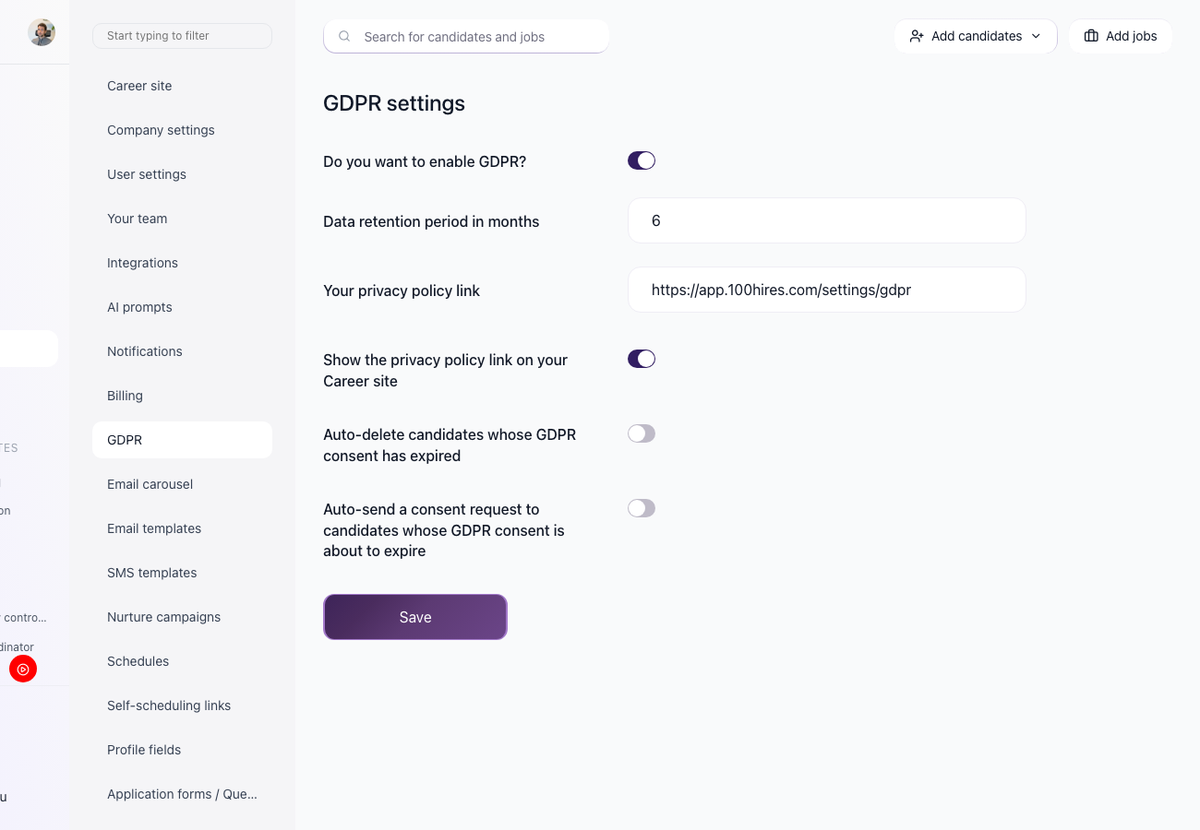
The page exposes six settings:
- Enable GDPR - the master toggle that turns the compliance features on for your company. Yes or No.
- Data retention period - how long candidate data is kept. 1 to 60 months.
- Privacy policy URL - a link to your company's privacy policy.
- Show in footer - display the privacy policy link on your career site. Yes or No.
- Auto-delete - automatically delete candidates when their consent expires. Yes or No.
- Auto-send consent requests - automatically request consent renewal before consent expires. Yes or No.
Save after changes.
Managing consent on a candidate
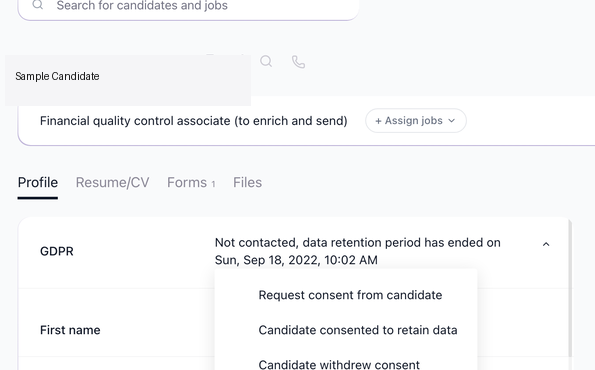
A candidate's profile has a GDPR dropdown with these options:
- See the current consent status.
- Request consent (sends a consent email to the candidate).
- Update consent manually.
- Remove the candidate profile (GDPR right to be forgotten).
When you send a consent request, the candidate receives an email that lets them choose:
- "Yes, [Company] can contact me about future job opportunities for up to [retention period]" with a link to your Privacy Policy.
- "No, I do not want to be contacted by [Company] about future job opportunities."
Their choice updates the consent status on their profile immediately.
Automatic behavior
When the relevant toggles above are enabled:
- Consent expiration triggers an auto-send of a renewal request.
- Expired consent triggers auto-delete of the candidate profile.
Bulk GDPR actions

On the Candidates page, the bulk action menu includes a "GDPR" action. Select multiple candidates and use it to manage consent for the whole selection at once - useful for sending renewal requests to a cohort whose consent is about to expire.
Updated on: 18/06/2026
Thank you!