
MCP Server and Webhooks: Connect AI Assistants and External Systems
MCP Server and Webhooks: Connect AI Assistants and External Systems
100Hires exposes two surfaces for connecting external tools to your account: a Model Context Protocol (MCP) server that lets AI assistants act on your data in natural language, and the standard Developer API that programmatic clients (and webhooks) use directly.
MCP server: connect AI assistants
The MCP server section in Settings > Integrations is used for connecting AI assistants through the MCP protocol. Use the in-product Quick setup instructions for the exact assistant client you use.
Where to find it
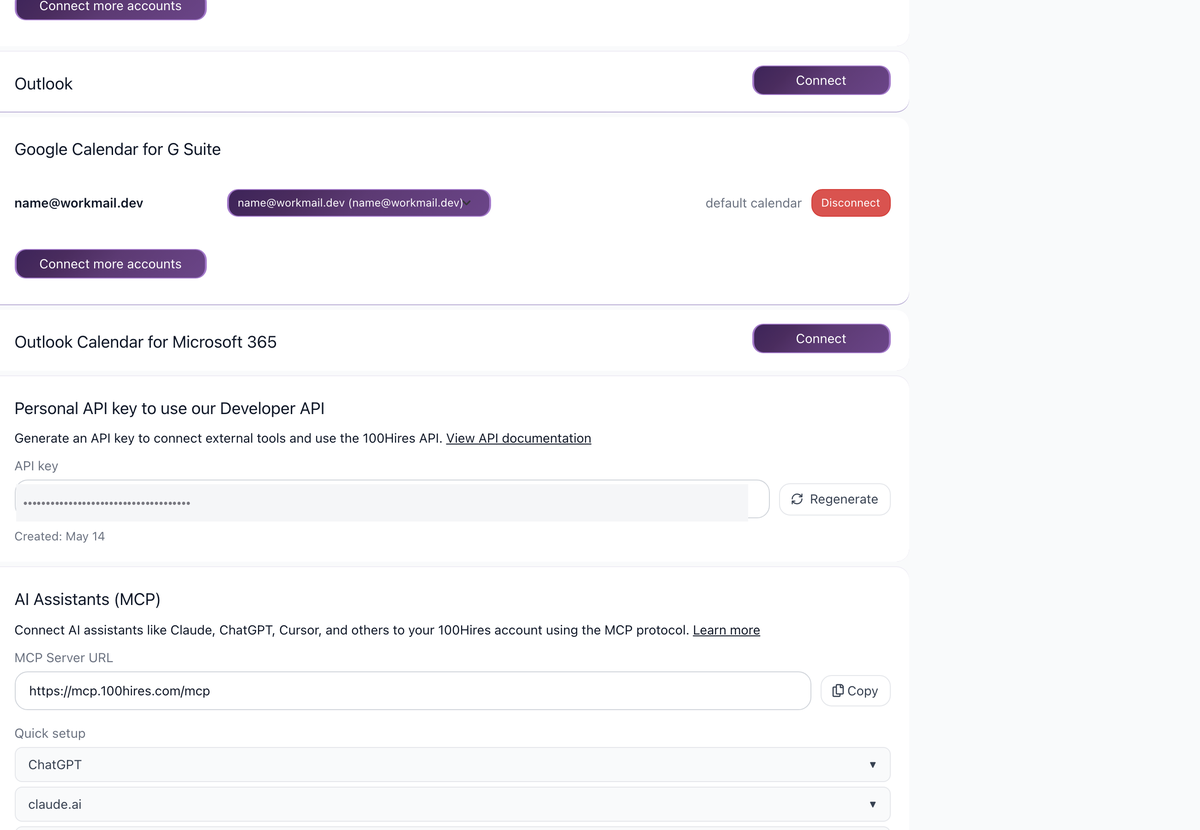
Settings > Integrations. Scroll down to the AI Assistants (MCP) section, which is dedicated to connecting AI assistants to your 100Hires account using the MCP protocol.
MCP Server URL
The section exposes one URL:
- MCP Server URL:
https://mcp.100hires.com/mcp
Quick setup
The page shows a Quick setup helper for connecting supported AI assistant clients. Follow the in-product Quick setup instructions for the assistant you use.
Developer API: programmatic access
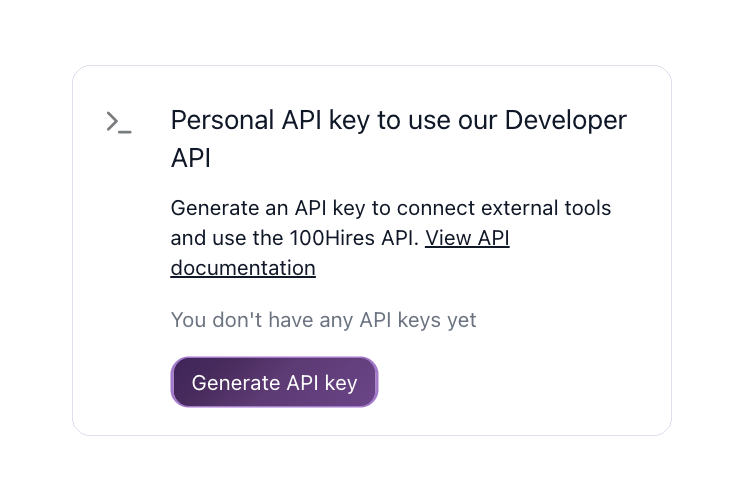
For non-AI integrations - your own backend, an HRIS sync, a custom career site, a CRM bridge - use the Developer API directly with an API key.
Getting an API key
Settings > Integrations has a Personal API key section for the Developer API.
- Open Settings > Integrations.
- In the Personal API key section, generate an API key.
- Use the API key in the
Authorization: Bearerheader for all requests.
Base URL: https://api.100hires.com/v2/.
Full OpenAPI specification: https://api.100hires.com/v2/openapi.json - the single source of truth for endpoints, parameters, and request/response schemas.
API keys require account verification. Unverified accounts cannot generate working API keys.
Webhooks
The Developer API supports webhooks so external systems can react to events in 100Hires in real time without polling.
- Register webhooks at the company level or per job through the Developer API.
- Get notified when events happen - new applications, stage changes, and similar.
Webhook registration is done via the Developer API itself, not as a separate UI section on Settings > Integrations. See the OpenAPI spec for the current webhook endpoints, request fields, and payload schemas.
Which surface to use
- MCP server: when a human (you or a teammate) wants to drive recruiting workflows by chatting with an AI assistant. Conversational, on-demand, no glue code.
- Developer API + webhooks: when you want a programmatic system to react to events or run batch operations - HRIS sync, automated outreach, custom dashboards, CRM-to-100Hires data flow.
Both surfaces use the same underlying data, so a hybrid setup (AI assistant for ad-hoc work, programmatic integrations for production flows) is the standard pattern for teams that scale this beyond casual use.
Related screenshots
These screenshots show the 100Hires areas used in this workflow.

Updated on: 18/06/2026
Thank you!