
How to Migrate Data from Other ATS
How to Migrate Data from Other ATS
If you're switching from another applicant tracking system to 100Hires, we can help migrate your existing candidate and job data.
What We Can Migrate
- Candidate profiles and contact information
- Resumes and attachments
- Job postings
- Application history
- Tags and custom fields
- Notes and communication history (where available)
How to Request Migration
- Email support@100hires.com with the subject "Data Migration Request"
- Include the following information:
- Name of your current ATS (e.g., Greenhouse, Lever, BambooHR, Workable)
- Approximate number of candidates
- Approximate number of jobs
- What data you want to migrate (all data, or specific jobs/candidates)
- Timeline for migration
- Our team will review your request and provide next steps
Migration Process
- Export from current ATS: We'll guide you on how to export data from your current system
- Data review: We review the export format and map fields to 100Hires
- Test import: We run a test import with a small dataset
- Full migration: Once approved, we complete the full data migration
- Verification: You verify the imported data is correct
Self-Service Options
For simpler migrations, you can import data yourself:
Import Candidates from CSV
- Export candidates from your current ATS as CSV
- Go to Add candidates > Import from CSV at https://app.100hires.com/import-candidates-csv

- Upload the file and map columns to 100Hires fields
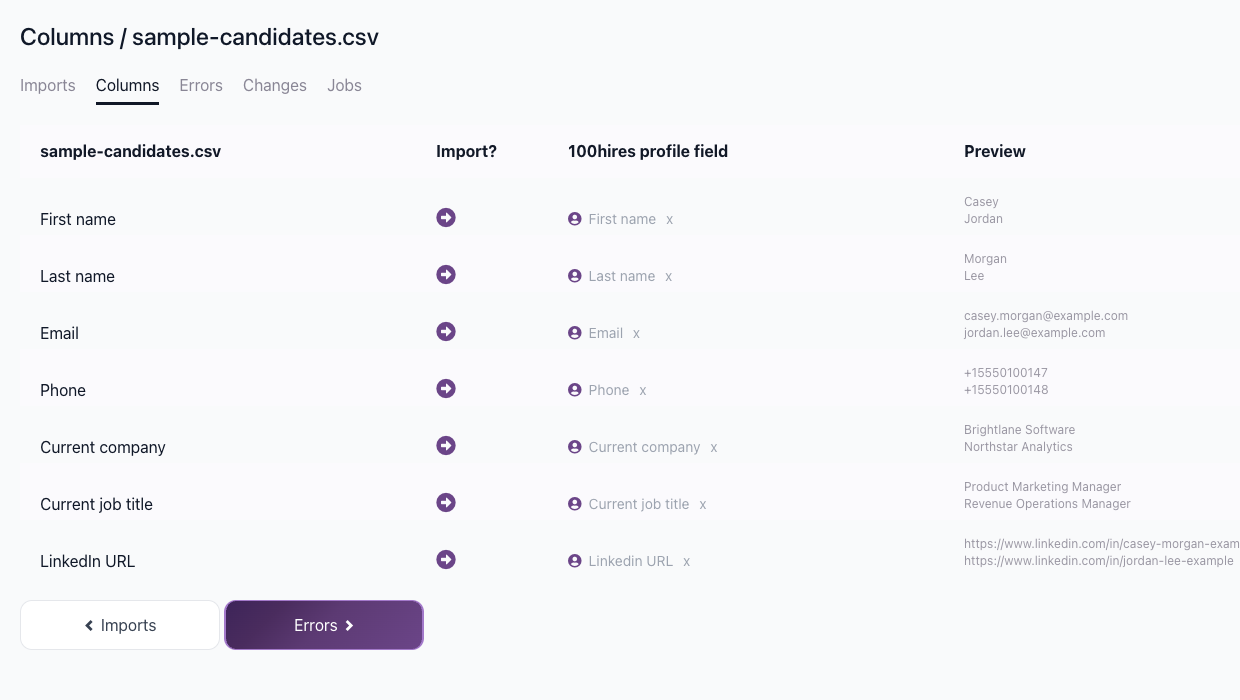

- Review and complete the import
Upload Resumes in Bulk
- Export resume files from your current ATS
- Go to Add candidates > Upload resumes at https://app.100hires.com/upload-resumes

- Drag and drop all resume files
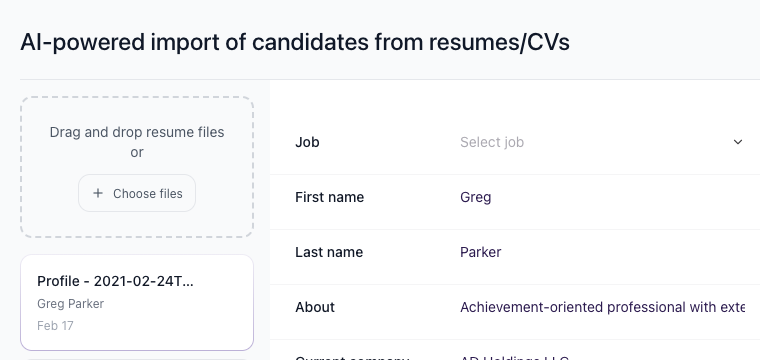
- Review parsed data and import

Popular ATS Migrations
We have experience migrating from:
- Greenhouse
- Lever
- BambooHR
- Workable
- JazzHR
- Recruitee
- Breezy HR
- SmartRecruiters
- iCIMS
- Zoho Recruit
Timeline
Migration timeline depends on data volume and complexity. Typical migrations take 1-5 business days after we receive your export files.
Updated on: 18/06/2026
Thank you!