
How to Use Trackable Links to Post Jobs and Track Sources
How to Use Trackable Links to Post Jobs and Track Sources
Create unique trackable links for each place you share your job posting to measure which sources bring the best candidates.
What Are Trackable Links
Trackable links are unique URLs for your job posting that track:
- How many people clicked the link
- How many applied through that link
- Conversion rate (clicks to applications)
- Share of total candidates from each source
Creating Trackable Links
- Open a job
- Go to the Find Candidates tab

- Scroll to the Share elsewhere using trackable links section
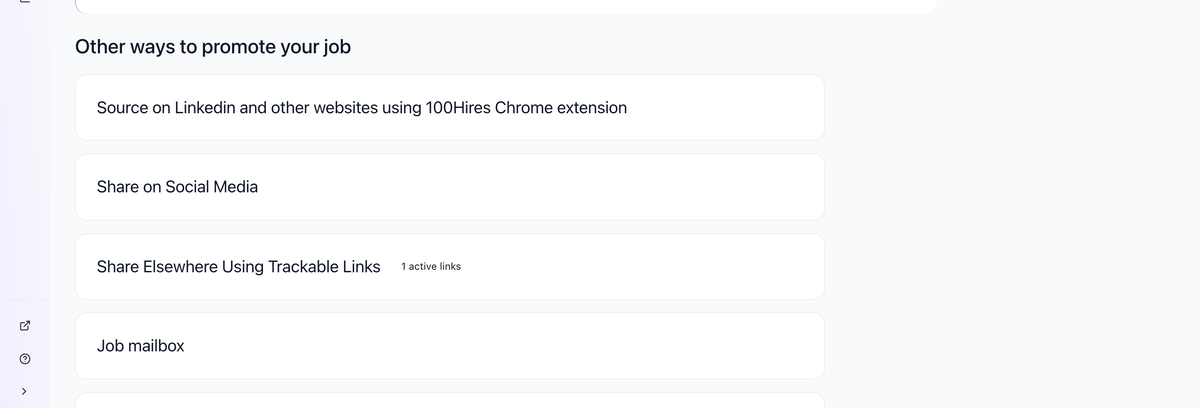
- Click Choose sources to open the dropdown

- Either:
- Select an existing source from the list, OR
- Enter a custom source name (e.g., "Facebook Developer Group", "Twitter Post", "Newsletter") and click Add source

- Copy the generated URL

Where to Use Trackable Links
Create separate links for each channel:
- Social media posts (LinkedIn, Twitter, Facebook)
- Industry-specific groups
- University job boards
- Professional communities
- Email newsletters
- Employee referral programs
- Niche job boards not integrated with 100Hires
- QR codes on physical materials
Viewing Link Performance
- Open the job
- Go to Find Candidates tab
- Find your trackable links section
- View metrics for each link:
- Visitors: Total clicks
- Candidates: Applications received
- Conversion: Percentage who applied
- Share: Percentage of total candidates
Best Practices
Naming Convention
Use descriptive names:
- "LinkedIn personal post - Jan 2024"
- "React Developers Slack"
- "University of Michigan career fair"
Create Before Sharing
Always create the trackable link before posting. If you share the standard job URL, you can't retroactively track that traffic.
One Link Per Source
Create a separate link for each distinct source, even on the same platform:
- "LinkedIn post - company page"
- "LinkedIn post - personal account"
- "LinkedIn group - HR professionals"
Analyzing Results
Over time, you'll see which sources:
- Drive the most applicants
- Have the best conversion rates
- Bring candidates who progress furthest
Use this data to:
- Focus efforts on high-performing sources
- Stop wasting time on low-performing sources
- Justify recruiting budget allocation
Updated on: 07/08/2026
Thank you!