
How Franchise (multi-location) Teams Use 100Hires
How Franchise (multi-location) Teams Use 100Hires
Corporate hiring managers, franchise operations leads, and recruiters at franchise systems who run a centralized talent function while franchisees own location-level hiring. You hire across many locations - a mix of corporate HQ roles, company-owned store staff, and recruiting support for franchisee-operated units. Candidates apply to "the brand" and expect one consistent experience, even when the employer is a separate franchisee entity.
What makes Franchise (multi-location) hiring different
Franchise hiring sits in an awkward middle: corporate owns the brand and candidate experience, but franchisees own the employment relationship at most locations. A candidate searching "[Brand] jobs near me" needs a single careers site, openings filtered to their city, and an apply flow that looks like one company - but the application has to route to the correct franchisee and manager. Compliance varies by region too.
Volume patterns are distinctive. Franchise systems often hire in concentrated bursts - new openings, seasonal hiring, or refranchising where many stores onboard at once. Throughput is high, time-to-hire pressure is brutal, and corporate's job is to give franchisees a system that runs itself.
The recommended 100Hires setup
Multi-Company access for franchisees. One company account for corporate HQ and one company account per franchisee group. Each company account has separate billing, its own users, and its own data. The same user can be invited to multiple companies and switch between them from the company switcher in the top-left corner.
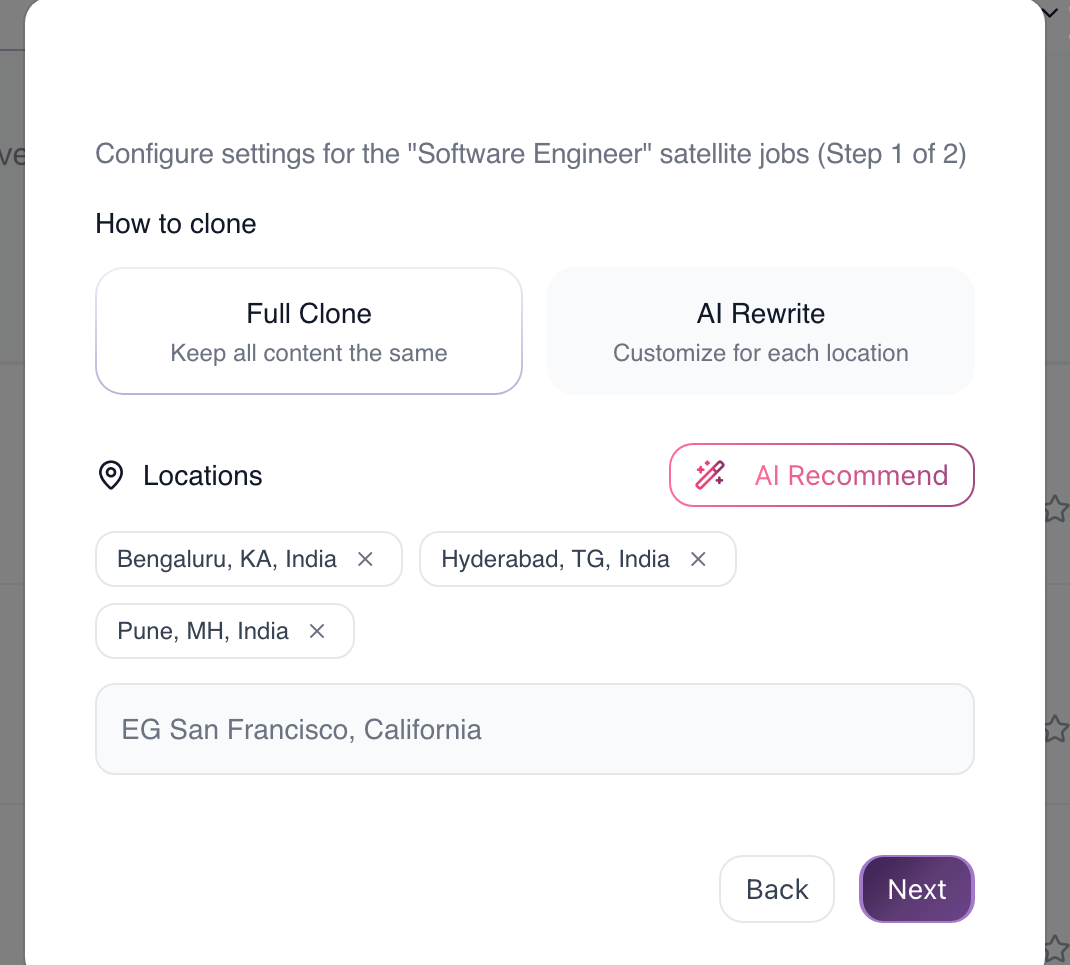
Satellite Jobs per location. Inside each franchisee company, create a parent job per role family (e.g. "Shift Lead") and use the Clone Jobs feature to publish satellite jobs across cities. Satellites can be fully cloned or AI-rewritten per location, each gets its own job board listing, and all candidates from satellites are funneled back to the canonical (original) job. That means AI scoring criteria, automations, and pipeline stages live in one place even when you cover many locations.
Centralized templates and branding. Build master job descriptions, email templates, and questionnaires once and reuse them across companies. Standardize knockout questions on profile fields such as "18 or older?", "Can you work weekends?", or shift availability. Profile field types include dropdown, multi-select, file upload (e.g. for food-handler card or driver's license), and yes/no.
Workflow stages for hourly roles: Applied, Knockout Passed, Phone Screen Booked, Interview Scheduled, Offer, Hired. For salaried roles, add Hiring Manager Review and Reference Check. Pair with knockout-question auto-disqualify and AI Scoring with auto-advance so screeners only see candidates worth a human look.
Job board fanout. Per franchisee company, jobs publish to the careers site and connected job boards (Indeed, LinkedIn, Glassdoor, ZipRecruiter, and others). The Developer API can activate or deactivate job boards in batch across many jobs at once - useful for ops teams managing distribution at scale.
Per-franchisee oversight. Each franchisee company has its own Reporting tab - source breakdown, pipeline health, time in stage. Corporate can be added to franchisee companies as an admin to spot-check pipelines, surface stale candidates, and identify locations that are getting no applicants.
How a franchise system uses this in practice
A multi-location franchise spinning up hourly roles across owner groups can:
- Create one company account per franchisee group (corporate sits as admin on each).
- Build the master job description for each role family once at corporate.
- Have each franchisee clone the job into satellite jobs across their cities, then publish to Indeed and the careers site in one flow.
- Funnel all applicants from satellite jobs back to the canonical job, where AI Scoring and stage automations triage candidates automatically.
- Run weekly check-ins per franchisee on pipeline health: stale candidates in Phone Screen Booked, job boards producing no candidates, locations with zero applicants this week.
Common pitfalls
Treating every location as its own company. Creating dozens of sub-companies instead of grouping by franchisee ownership multiplies admin work and breaks reuse of users and templates. Group by ownership; use satellite jobs for locations.
Letting franchisees rewrite the master job description without governance. Once cloned, franchisees may edit the title to something un-searchable or drop knockout questions. Agree on a change-control rule with franchisees and audit periodically.
No standard knockouts across the system. Without standardized knockouts you can't compare pass-through quality or tell whether a weak location has a sourcing problem or a screening problem.
Manual per-location job-board management. Publishing the same job to many boards across many locations by hand burns hours. Use satellite jobs plus the Developer API to fan out distribution.
Related KB articles
- /en/article/ai-scoring-setup-and-best-practices-kvzcz7/ - configure AI Scoring on resume and answers
- /en/article/multi-company-access-how-to-switch-between-company-accounts-o9vjla/ - switching between franchisee company accounts
- /en/article/how-to-use-knockout-questions-to-auto-disqualify-candidates-1e6ni80/ - knockout questions setup
- /en/article/understanding-workflows-pipelines-and-stages-eqzozs/ - pipeline stages and workflows
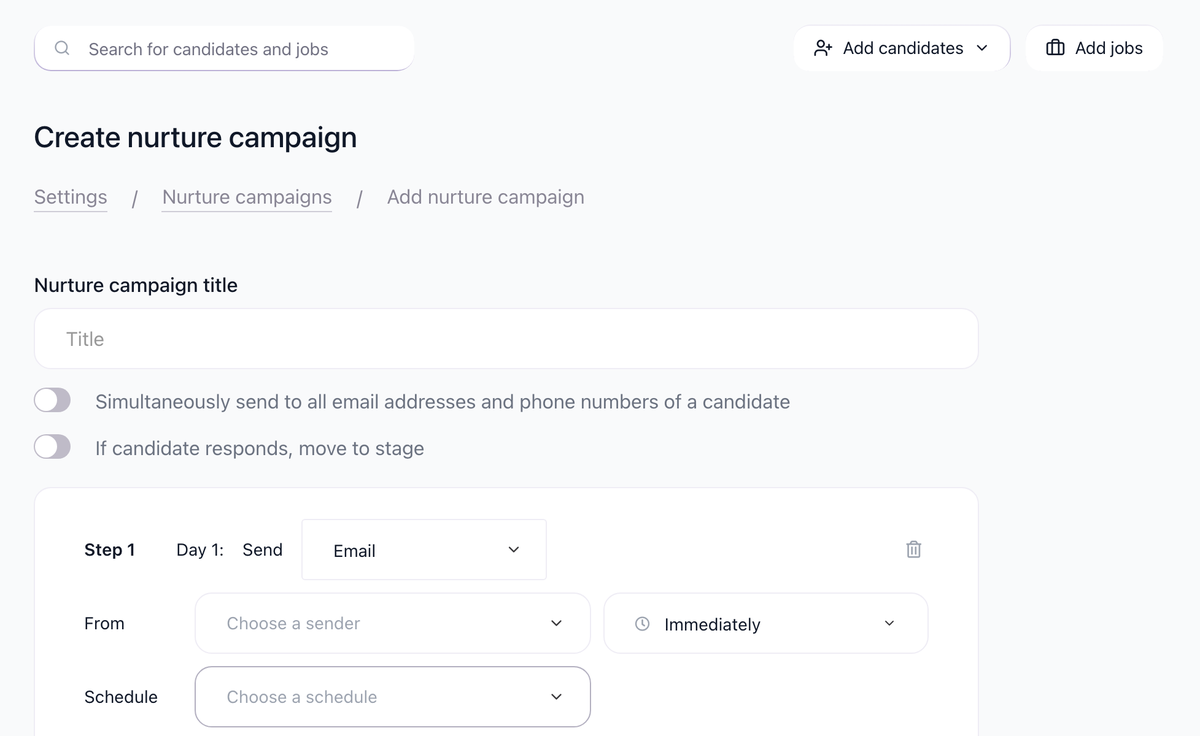
- /en/article/assign-tasks-automatically-stage-automations-and-nurture-campaign-steps-le4sn0/ - stage automations
- /en/article/career-site-setup-branding-custom-domain-and-logo-rrg7vy/ - careers site branding
- /en/article/email-carousel-warm-up-setup-giievc/ - deliverability for high-volume candidate emails
Related screenshots
These screenshots show the 100Hires areas used in this workflow.

Updated on: 07/08/2026
Thank you!