
Post Jobs to LinkedIn Job Board from 100Hires
Post Jobs to LinkedIn Job Board from 100Hires
100Hires distributes Public jobs to LinkedIn as one of the default job boards in the standard publish flow. Use 100Hires to distribute the public job to LinkedIn and monitor status from the job posting flow.
Prerequisites
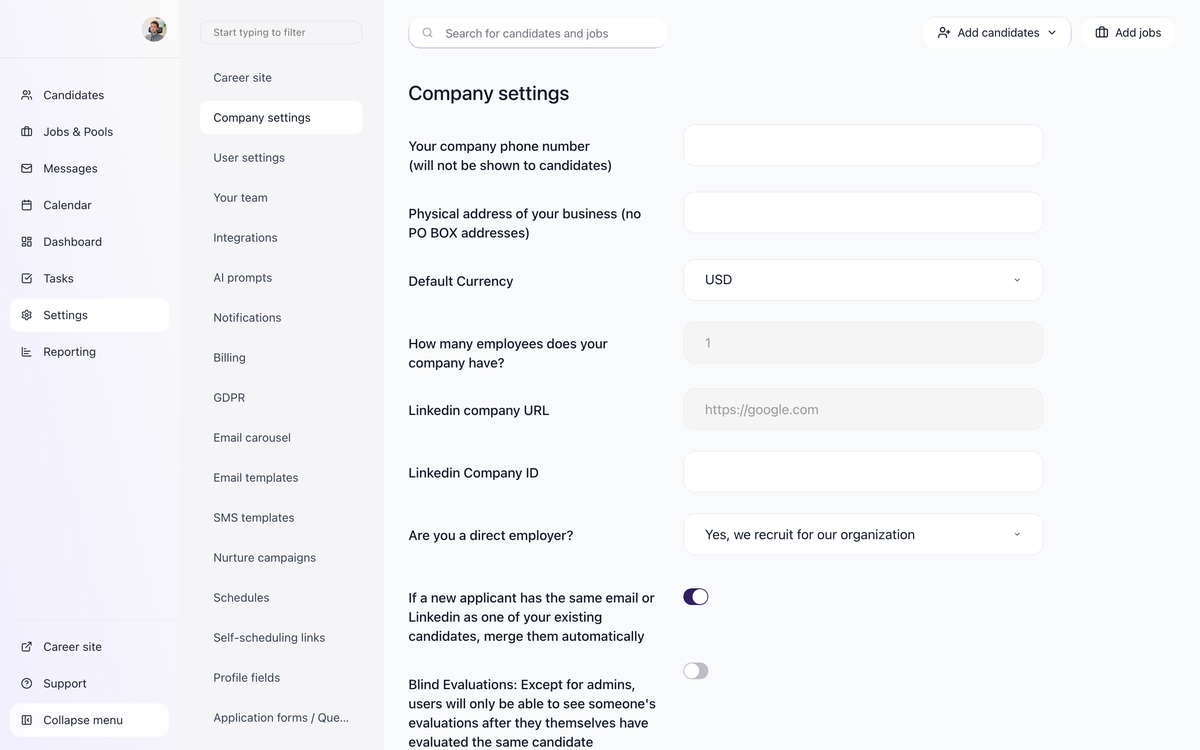
Before LinkedIn will accept jobs from your account, fill in your LinkedIn Company URL and Company ID under Settings > Company Settings. These fields tie each post to your LinkedIn Company Page. Note that the LinkedIn Company ID can only be changed after initial setup by contacting support.
Verification process
New jobs require verification before they appear publicly on LinkedIn. Free trial jobs can take up to 72 hours to verify, and you can skip the queue by buying a subscription. We recommend waiting at least 24 hours after posting before checking that a job is live on LinkedIn.
Editing a live job
Edits to a job that is already live on LinkedIn can take up to 24 hours to appear, since LinkedIn processes changes more slowly than other boards (Indeed, for comparison, usually applies edits within an hour). For this reason it is best to finalize your job description before publishing, rather than iterating after the job is live.
Common issue: my job is not on LinkedIn
If a job is missing from LinkedIn, run through the quick checklist below before contacting support:
- Are the LinkedIn Company URL and Company ID set under Settings > Company Settings?
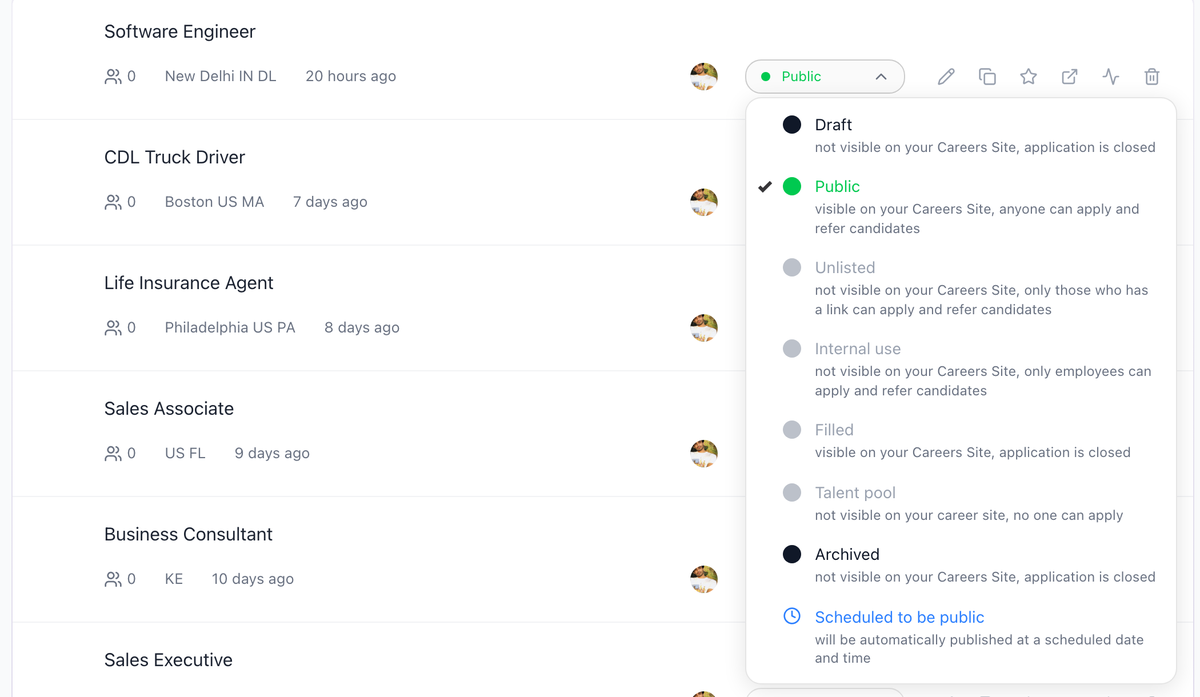
- Is the job status set to Public (not Draft, Unlisted, or Internal Use)?
- Has the verification window passed since submission (up to 72 hours for free trial jobs)?
If all three boxes are checked and the post still does not appear, contact support for a deeper diagnostic.
Sponsored upgrade
The pricing and configuration of sponsored or promoted LinkedIn jobs is set by LinkedIn, not by 100Hires. The upgrade is configured on LinkedIn's side after the free job has posted, and gives the post top placement and targeted distribution to members who match your criteria.
Removing from LinkedIn
To pull a job from LinkedIn, change its status to Archived or Filled in 100Hires. The post will drop from LinkedIn once the change propagates - no manual removal needed on LinkedIn.
Related article
LinkedIn runs its own quality review on every post. See Job Post Quality Requirements: LinkedIn and Indeed Guidelines before you publish.
Updated on: 07/08/2026
Thank you!