
100Hires AI vs Typical ATS AI: How They Differ
100Hires AI vs Typical ATS AI: How They Differ
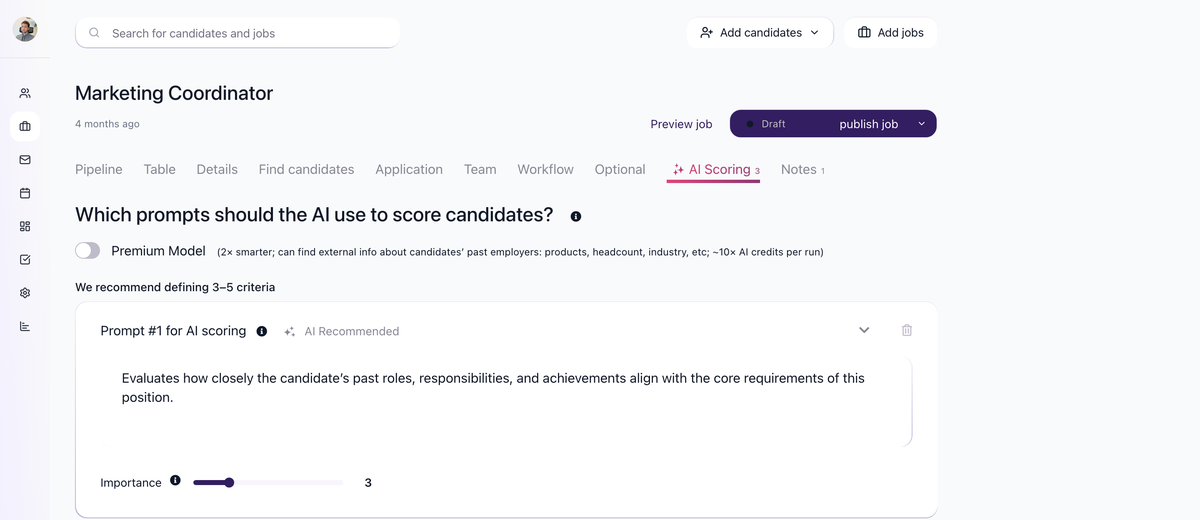
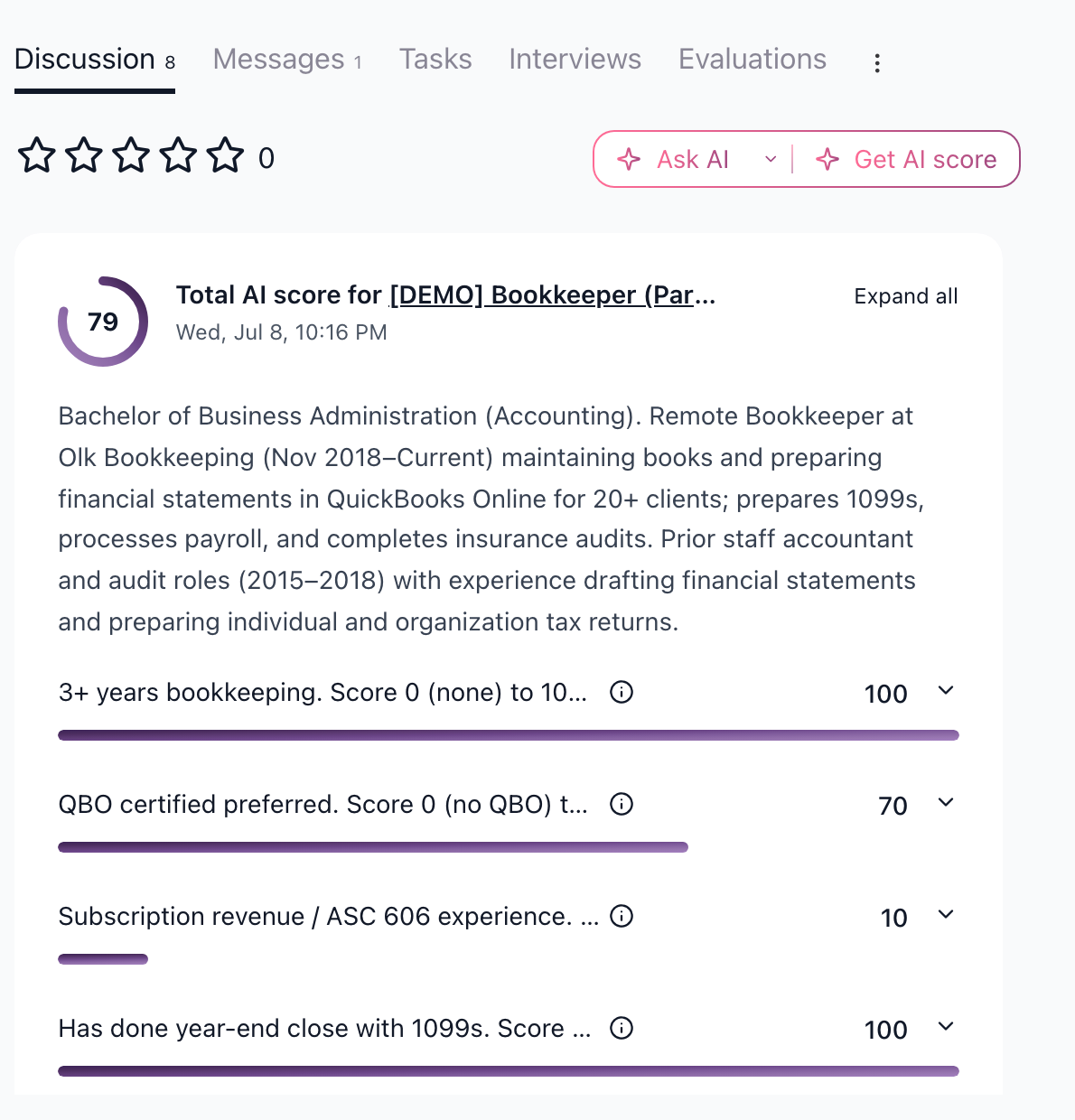
Many ATS products show an AI score with limited context. 100Hires AI Scoring is configured per job: you define the criteria, run scores against candidate data, and review the score breakdown before acting.
What differs
Area | Typical ATS AI | 100Hires approach |
|---|---|---|
Criteria | Often vendor-defined | Recruiter defines job-specific criteria |
Evidence | May show little explanation | Score details show per-criterion reasoning |
Context | Resume-focused in many tools | Uses resume, profile fields, forms, evaluations, messages, notes, job description, and Job Notes |
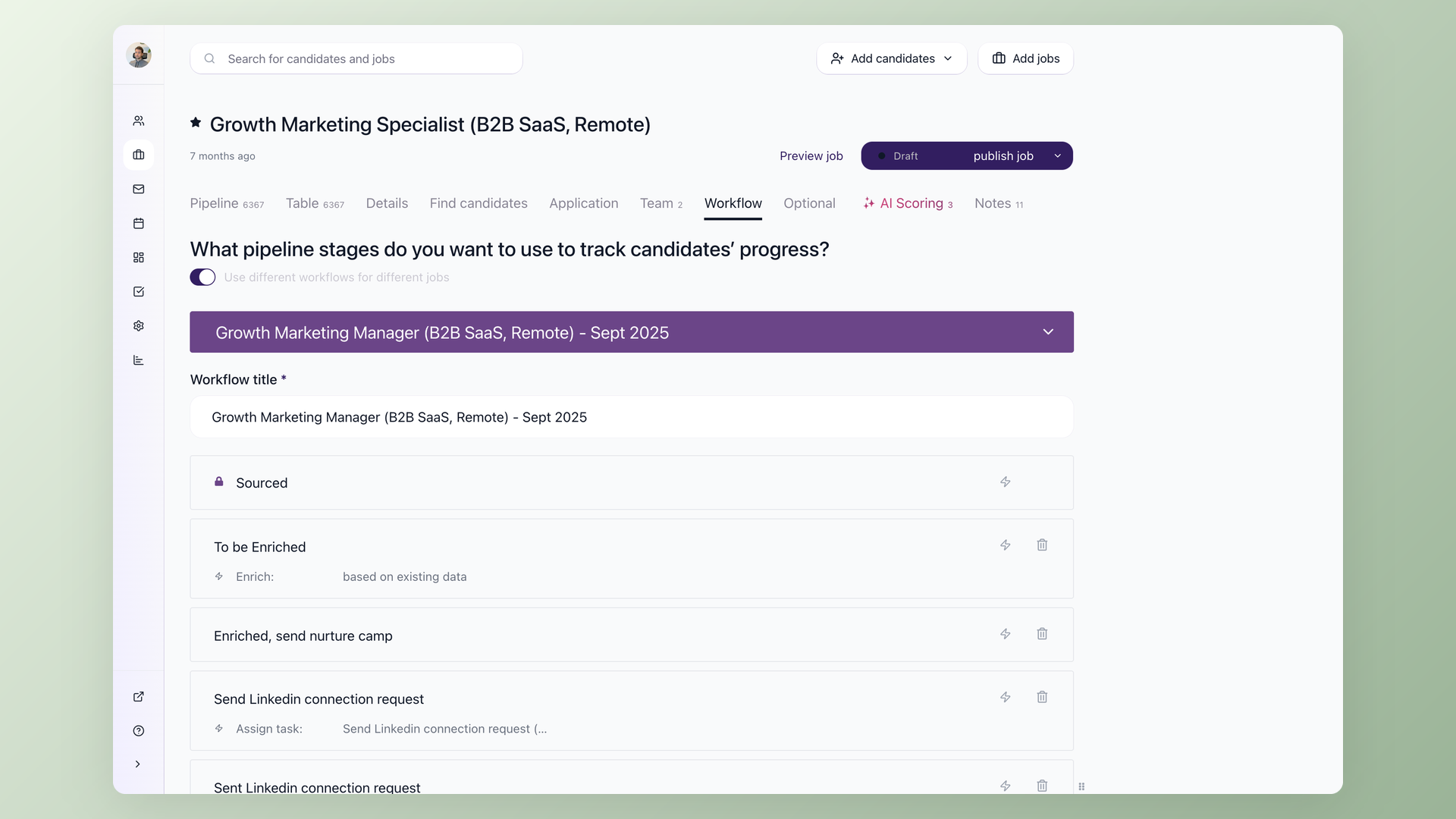
Workflow | Separate recommendation surface | Scoring can be used from candidate profiles, bulk actions, and workflow automation |
Advanced model | Often hidden | Premium Model is explicit for AI Scoring and uses more AI credits |
Practical use
Define criteria for the job, run AI Scoring on a candidate or batch, then review the detailed results. Use the score to prioritize review, not to replace structured interviews or hiring-team judgment.
Related AI surfaces
AI Copilot is used from the candidate Discussion tab for questions and summaries. AI Email Composer is used from Messages for draft emails. AI Scoring is the feature with job-specific criteria, scores, score details, workflow automation, bulk scoring, and the Premium Model toggle.
Updated on: 07/08/2026
Thank you!