
Use AI to Detect Resume Red Flags and Inconsistencies
Use AI to Detect Resume Red Flags and Inconsistencies
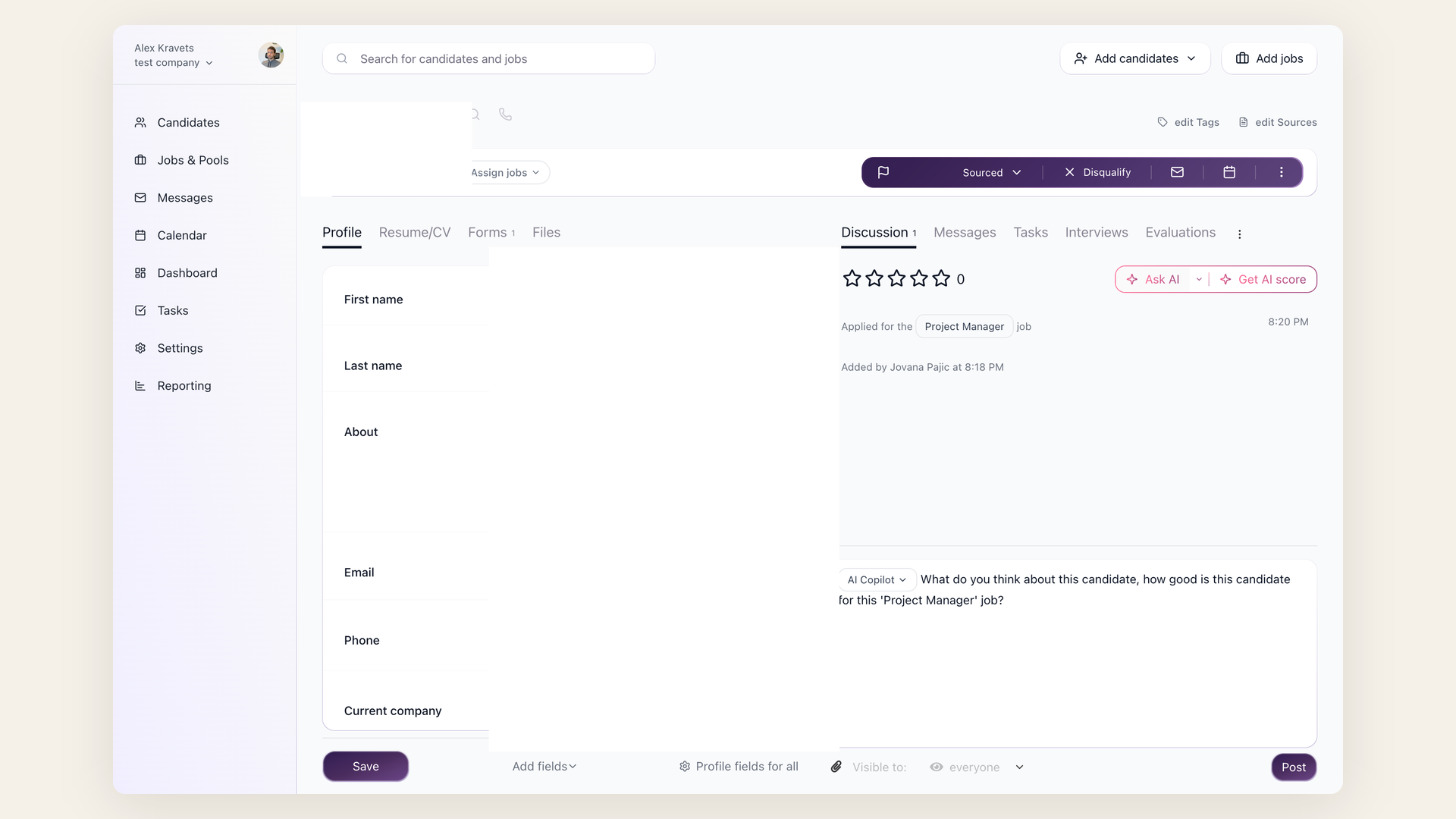
AI Copilot can help recruiters investigate resume red flags, but it should not be treated as a final decision engine. Use it to produce questions, summarize inconsistencies, and identify areas to verify during screening.
What to ask
Useful prompts include:
- "List gaps or unclear transitions in this resume."
- "Compare the resume to the job's must-have requirements and list concerns."
- "What should I verify on the phone screen before moving this candidate forward?"
- "Summarize possible inconsistencies between the resume and application answers."
The AI can use candidate profile fields, resume, application answers, evaluation forms, messages, Discussion notes, the job description, and Job Notes.

How to use the output
Add useful findings to the candidate Discussion tab, then verify them with the candidate or hiring team. Avoid language that sounds like a conclusion unless a human has confirmed it.
Good follow-up questions
Turn AI findings into neutral interview questions. For example, if dates are unclear, ask the candidate to walk through the transition. If a required tool is missing from the resume, ask where they used it and at what depth. If the resume uses broad wording, ask for a concrete project example.
Guardrails
Do not ask AI to infer protected-class information or make legal eligibility conclusions. Ask it to point to evidence and questions instead.
Updated on: 16/06/2026
Thank you!