
AI Job Board Targeting: Where to Post Your Role
AI Job Board Targeting: Where to Post Your Role
Use 100Hires to choose where a job should be visible, then measure which sources produce candidates. AI can help with job description rewriting, salary suggestions, and satellite-job location ideas, while the recruiter still decides which boards and channels to use.
Workflow
- Make the job public and check that the title, location, salary, and description are complete.
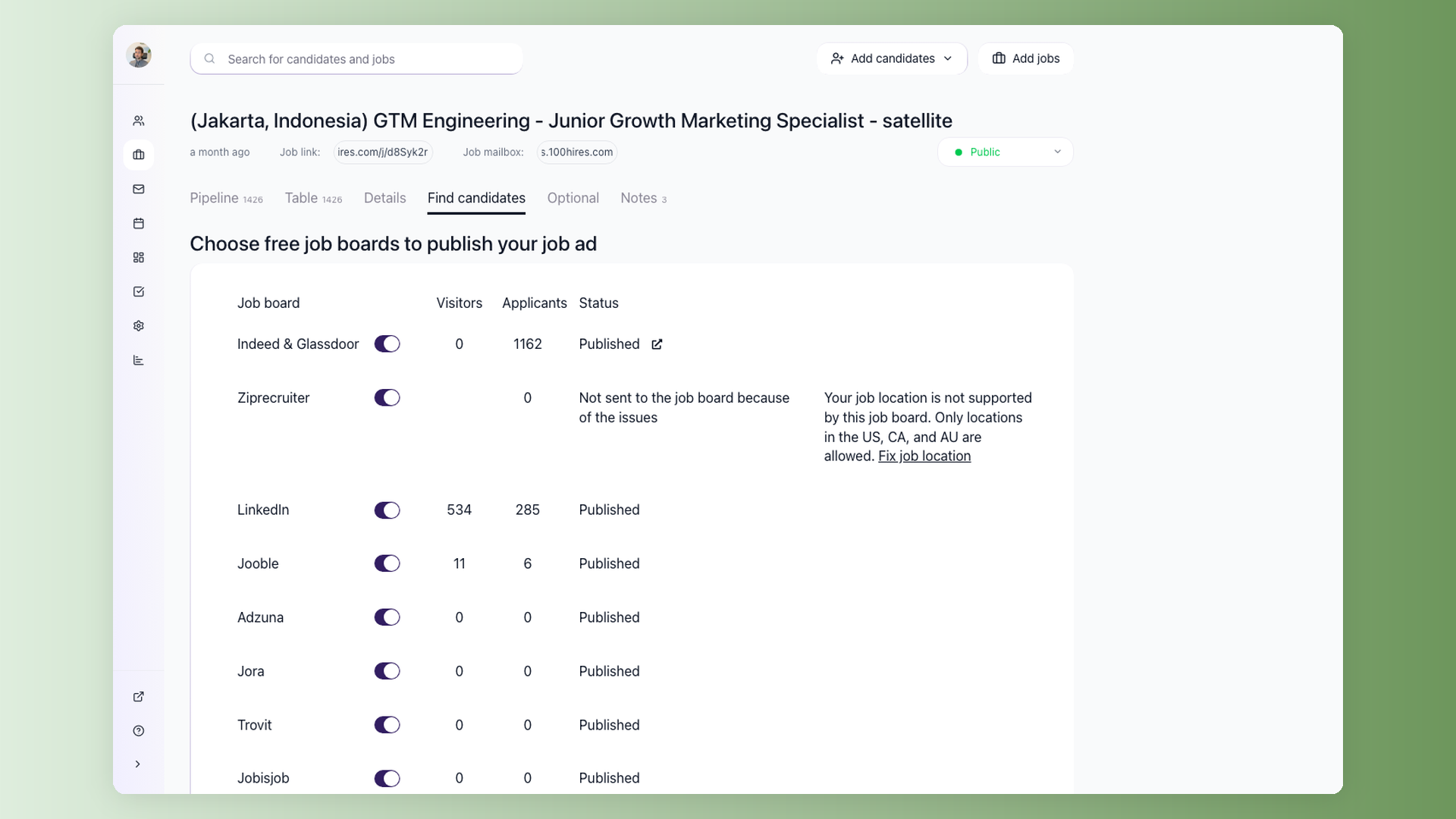
- Turn on the relevant job boards in the Find Candidates area.
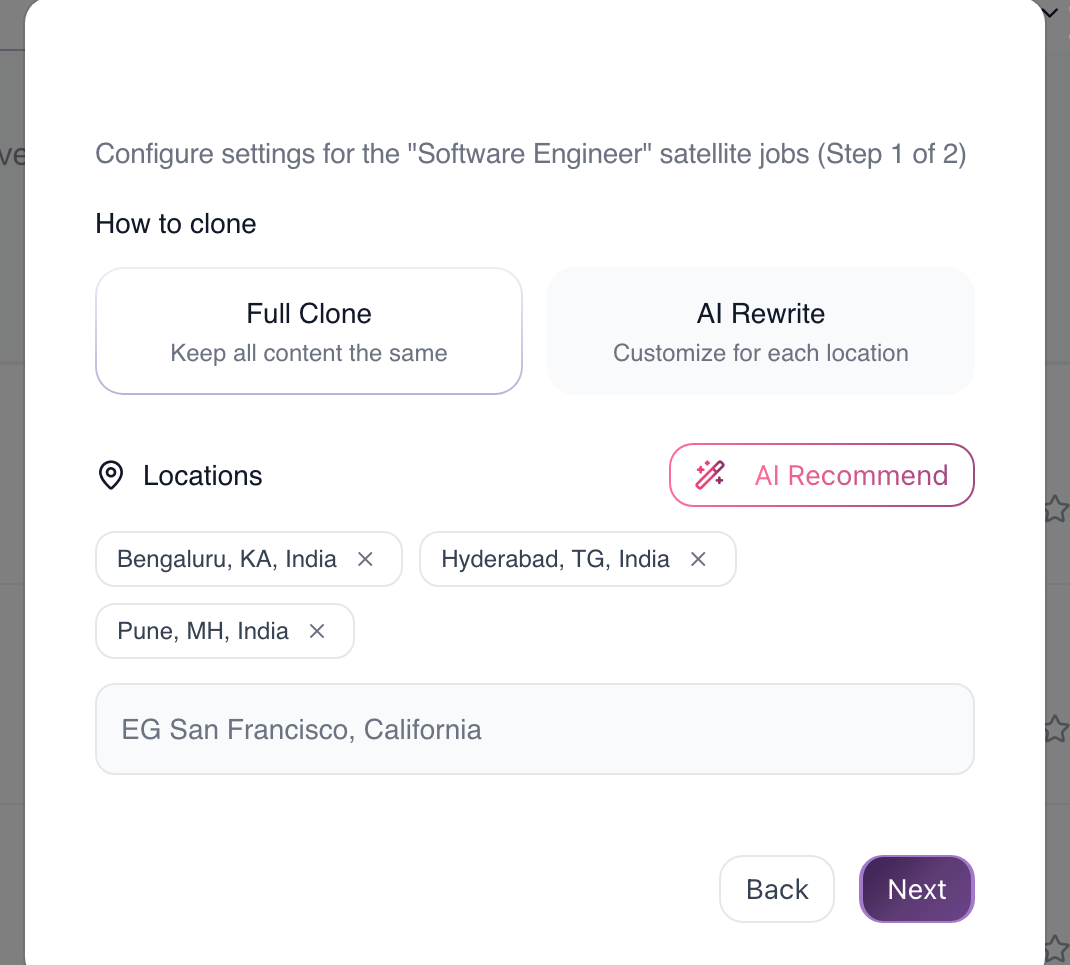
- For multi-location hiring, create satellite jobs and use AI Recommend to discover additional locations.
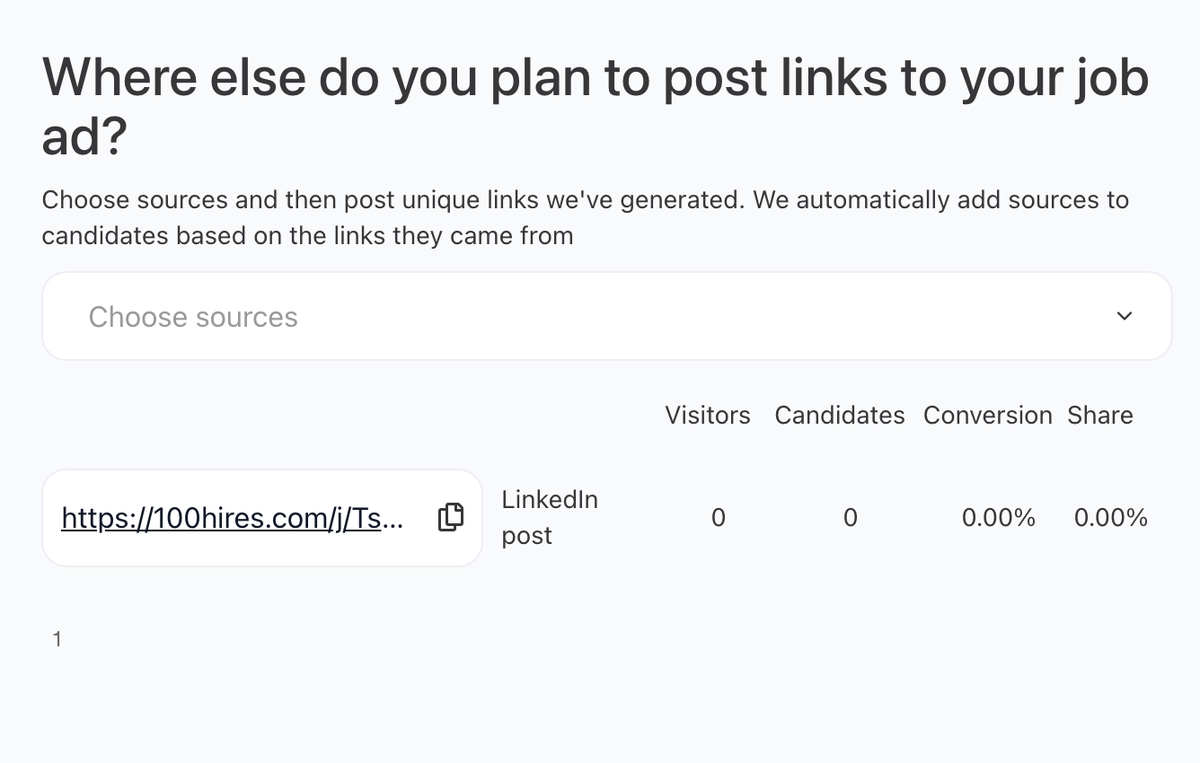
- Use trackable links for channels that are not native job boards, such as social posts, newsletters, communities, and referral campaigns.
- Review source reporting and shift effort toward sources that produce qualified candidates.
What AI should and should not decide
AI can suggest locations and help adapt job copy, but it does not know your budget, local labor rules, or every channel's current performance. Use source reports and recruiter judgment to make the final posting plan.
Measure results
Review applicants by source, not only by click volume. A smaller source that produces interview-ready candidates may be better than a large board with low fit.

Posting checklist
Before you turn on more boards, confirm the job is public, the location is specific, the description is complete, and the application form is short enough for mobile candidates. After posting, wait for board processing time and use source reporting rather than anecdotal volume to decide where to spend more effort.
Updated on: 07/08/2026
Thank you!