
AI Score Explained: How 100Hires Ranks Candidates
AI Score Explained: How 100Hires Ranks Candidates
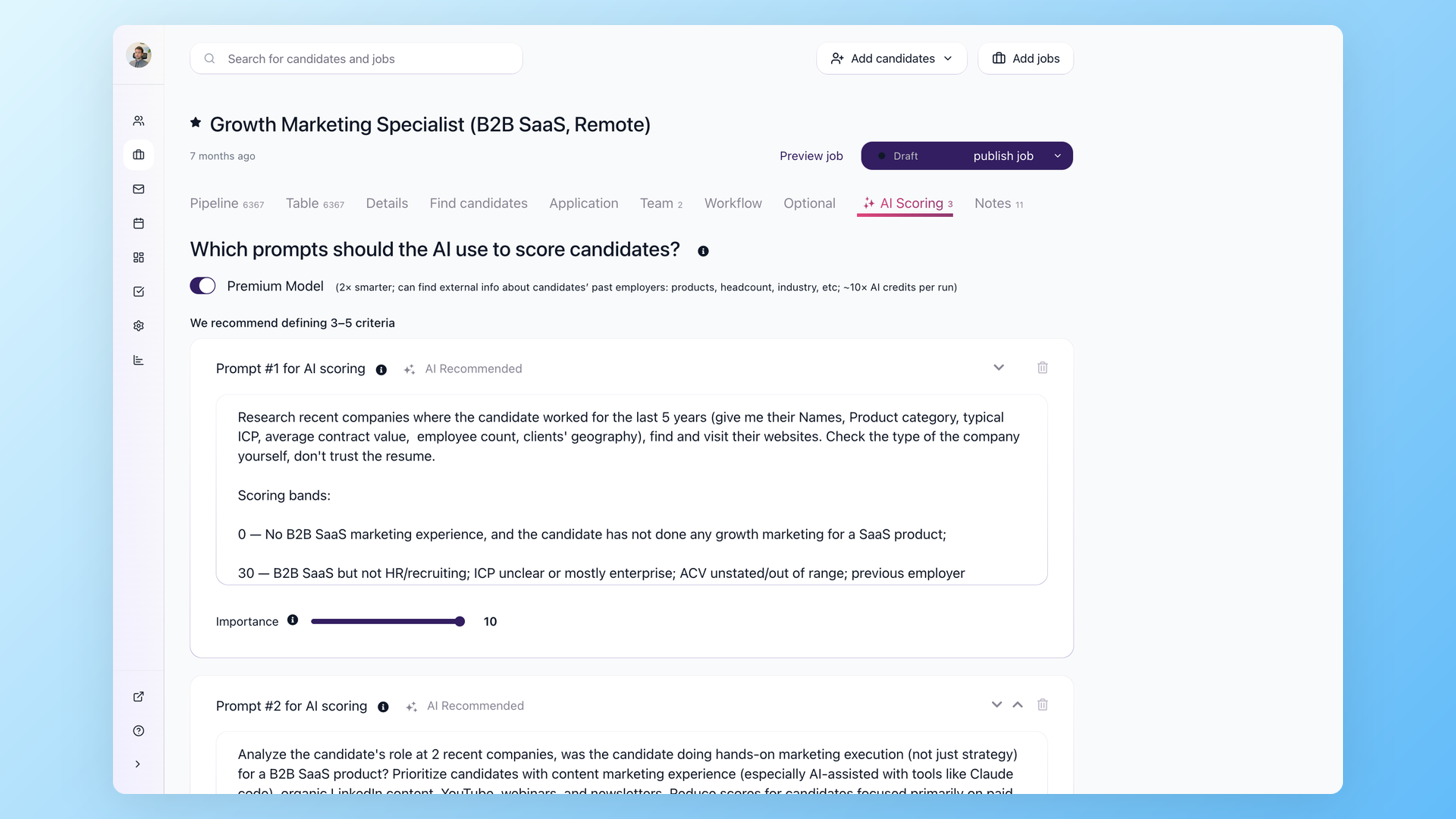
AI Score is a job-specific candidate evaluation. It is not a universal quality number. The score depends on the criteria you define on the job's AI Scoring tab and the candidate information available in 100Hires.
What the score reads
100Hires can use the candidate resume, profile fields, application answers, questionnaire responses, evaluation form answers, Discussion notes, email messages, the job description, and Job Notes. If a requirement is not captured in those sources, the AI cannot reliably score it.
How to read the result
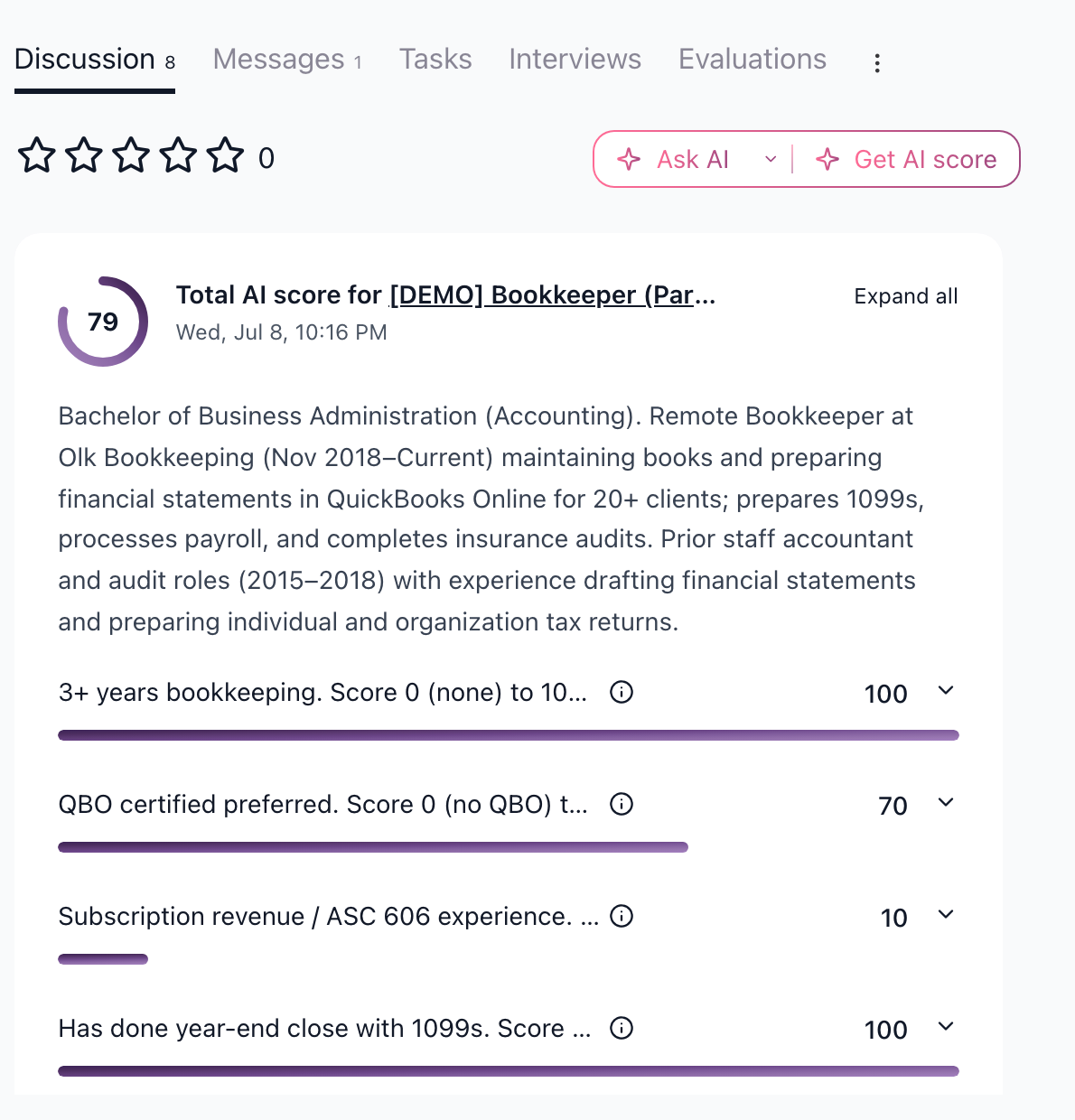
The total score helps sort a large candidate list. The per-criterion details explain where the score came from. Use the breakdown to spot-check the highest and lowest scores, especially before sending rejections in bulk.
Premium Model is available for AI Scoring and costs more AI credits. Use it selectively for roles where external employer context or a stronger review model is worth the extra credit spend.
What changes a score
Scores can change when you edit the job description, update Job Notes, change criteria, add candidate information, or receive new questionnaire or evaluation answers. If you make a meaningful criteria change, re-score candidates instead of comparing old scores to new ones.
A useful pattern is to score after the application form is complete, then score again after an interview only when the new evaluation notes add important evidence.
Best practices
- Use 3-5 criteria per job.
- Write criteria with explicit evidence, not vague traits.
- Re-score candidates after changing criteria.
- Keep private hiring priorities in Job Notes.
- Treat AI Score as decision support, not an automatic hiring decision.
Updated on: 05/08/2026
Thank you!