
Customize AI Prompts for Your Hiring Criteria
Customize AI Prompts for Your Hiring Criteria
100Hires AI works best when the prompts describe your actual hiring bar. Use custom prompts for AI Scoring criteria, AI Copilot saved prompts, and AI Email Composer prompts so recruiters do not have to rewrite the same instructions for every candidate.
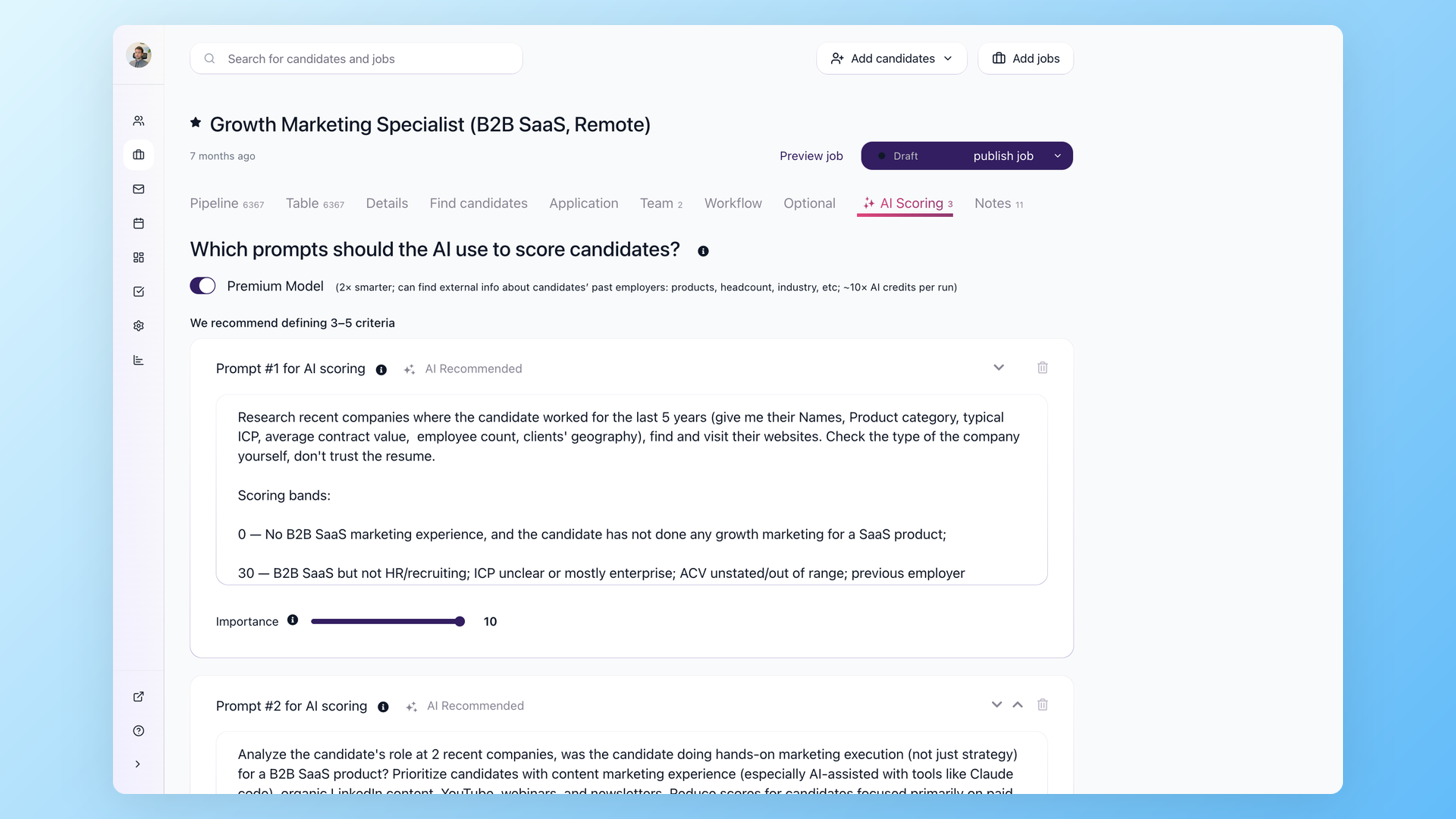
AI Scoring prompts
Open a job and go to the AI Scoring tab. Create 3-5 criteria that match the role, then write clear instructions for what earns a high, medium, or low score. Criteria can reference the resume, profile fields, application answers, evaluation forms, messages, Discussion notes, the job description, and Job Notes.
Good criteria are specific. For example, "Has sold B2B SaaS to HR or recruiting buyers" is easier to score than "good sales background."
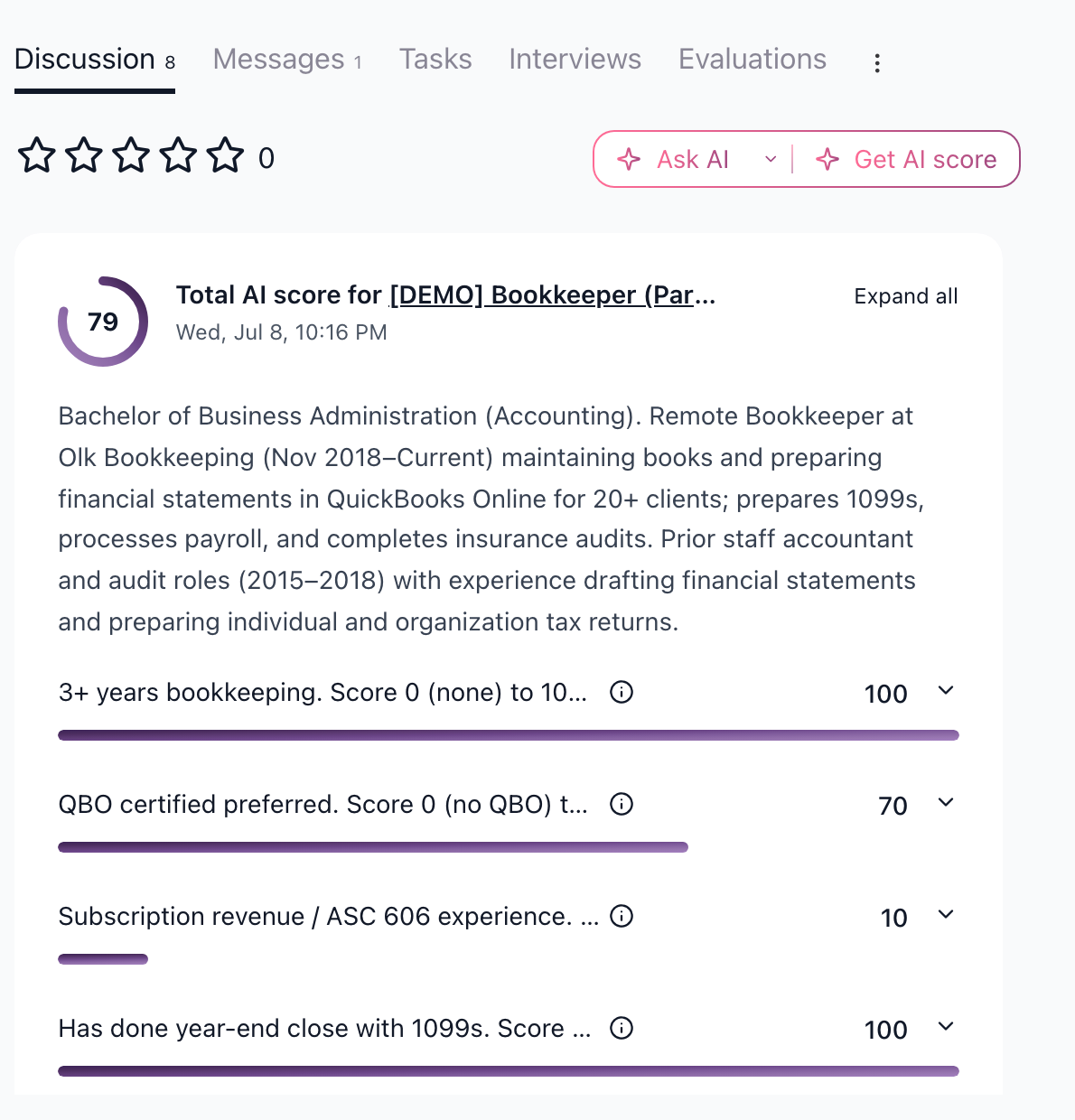
Copilot and email prompts
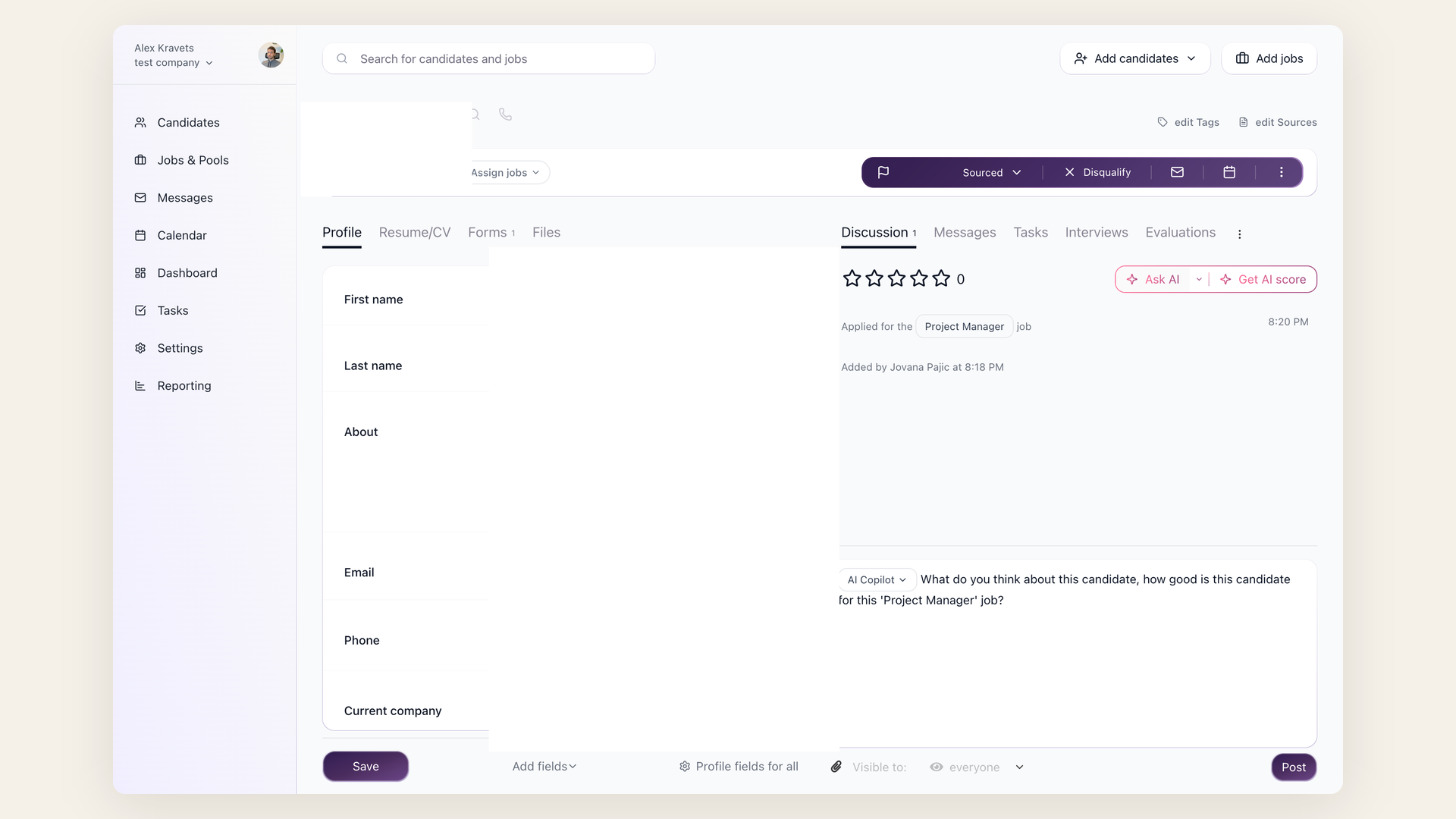
AI Copilot prompts are useful for repeat review questions in the candidate Discussion tab, such as "summarize gaps against the must-haves" or "list questions for the phone screen." AI Email Composer prompts are managed under Settings > AI Prompts on the AI Email Composer tab and can be reused for rejection, outreach, or follow-up emails.
Keep prompts factual
Put internal criteria in Job Notes if they should influence AI review but should not appear on the public job post. Review AI output before using it in a hiring decision or candidate email.
Updated on: 05/08/2026
Thank you!