
EU Customers: How to Provide VAT Number to Avoid Paying VAT
If your company is registered for VAT in the European Union, you can provide your VAT number so that VAT is not added to your 100Hires subscription.
Add your VAT number when you pay
Your VAT number can only be applied when the subscription is created. Once a subscription is running, it can no longer be applied to that subscription, so the moment to do it is your first payment.
- Go to Settings > Billing and choose your plan
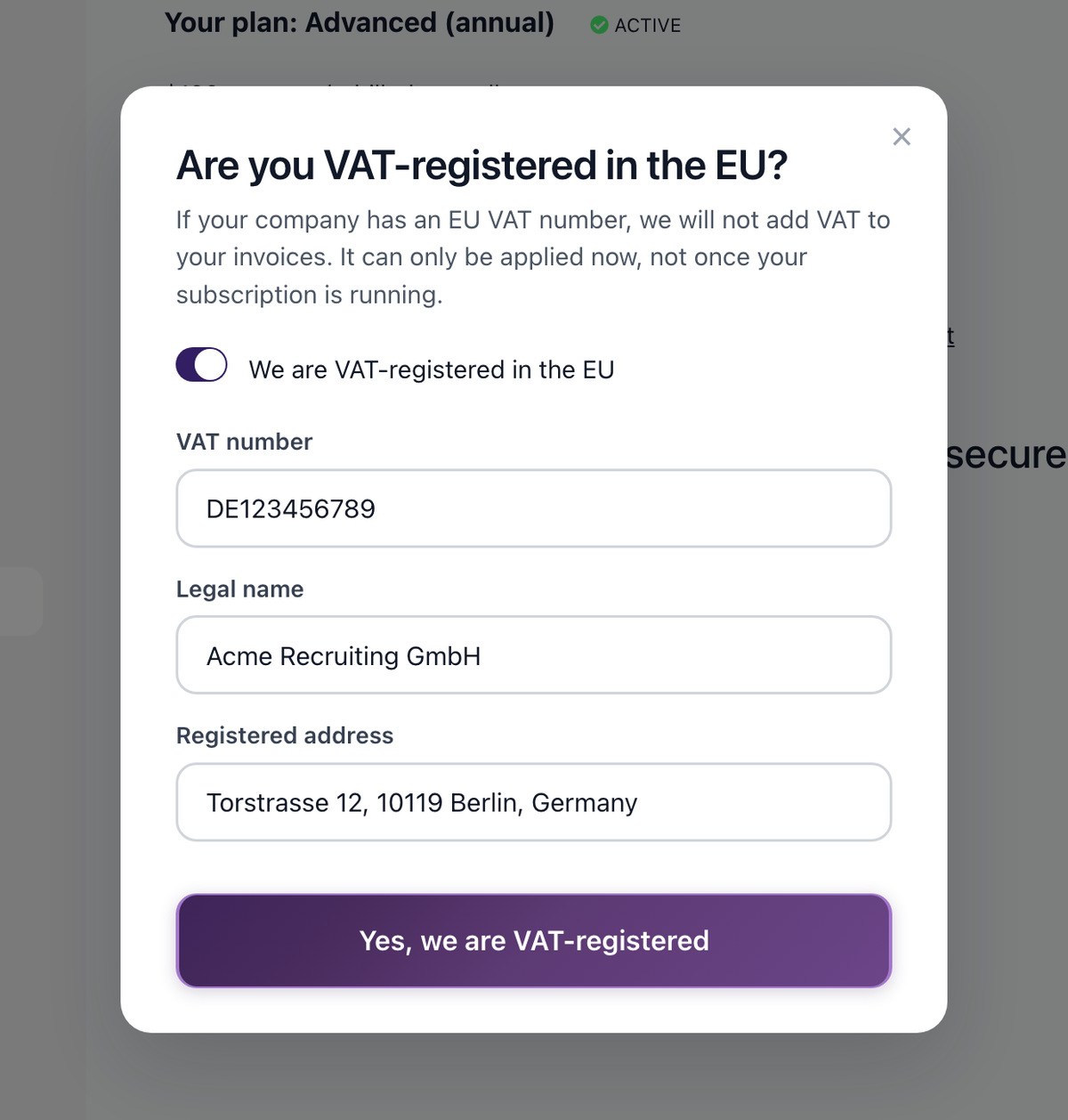
- Before you are taken to the checkout, a window appears asking whether your company is VAT-registered in the EU
- Turn on We are VAT-registered in the EU and fill in the fields:
- VAT number: your EU VAT registration number
- Legal name: your company's registered legal name
- Registered address: your company's registered address
- Click Yes, we are VAT-registered and continue to the checkout
If the window does not appear and you still want VAT excluded from your invoices and from the price of your subscription, write to support@100hires.com before you pay, and we will set it up for you.
How it works
When your VAT number is on file before checkout:
- It is passed to our payment provider when the subscription is created
- Your invoices are issued without VAT, because your company reports it itself
- Nothing else is needed from you
Requirements
To qualify for VAT exemption:
- Your company must be registered in an EU member state
- You must have a valid VAT registration number
- The VAT number must be verifiable through the EU VIES database
UK-registered companies are billed with UK VAT and reclaim it in their own VAT return, so entering a UK VAT number does not remove the tax at checkout.
Already subscribed, or already paid VAT?
Adding a VAT number after the subscription has started will not remove VAT from it. Write to support@100hires.com with:
- Your company name
- VAT number
- Invoice numbers for which you want VAT refunded
We will sort it out manually, including exempting your future payments.
Related screenshots
These screenshots show the 100Hires areas used in this workflow.


Updated on: 22/08/2026
Thank you!