
How to Upload Your Company Logo and Update Company Settings
How to Upload Your Company Logo and Update Company Settings
Add your company logo and configure basic company information for a professional appearance on your career site and job postings.
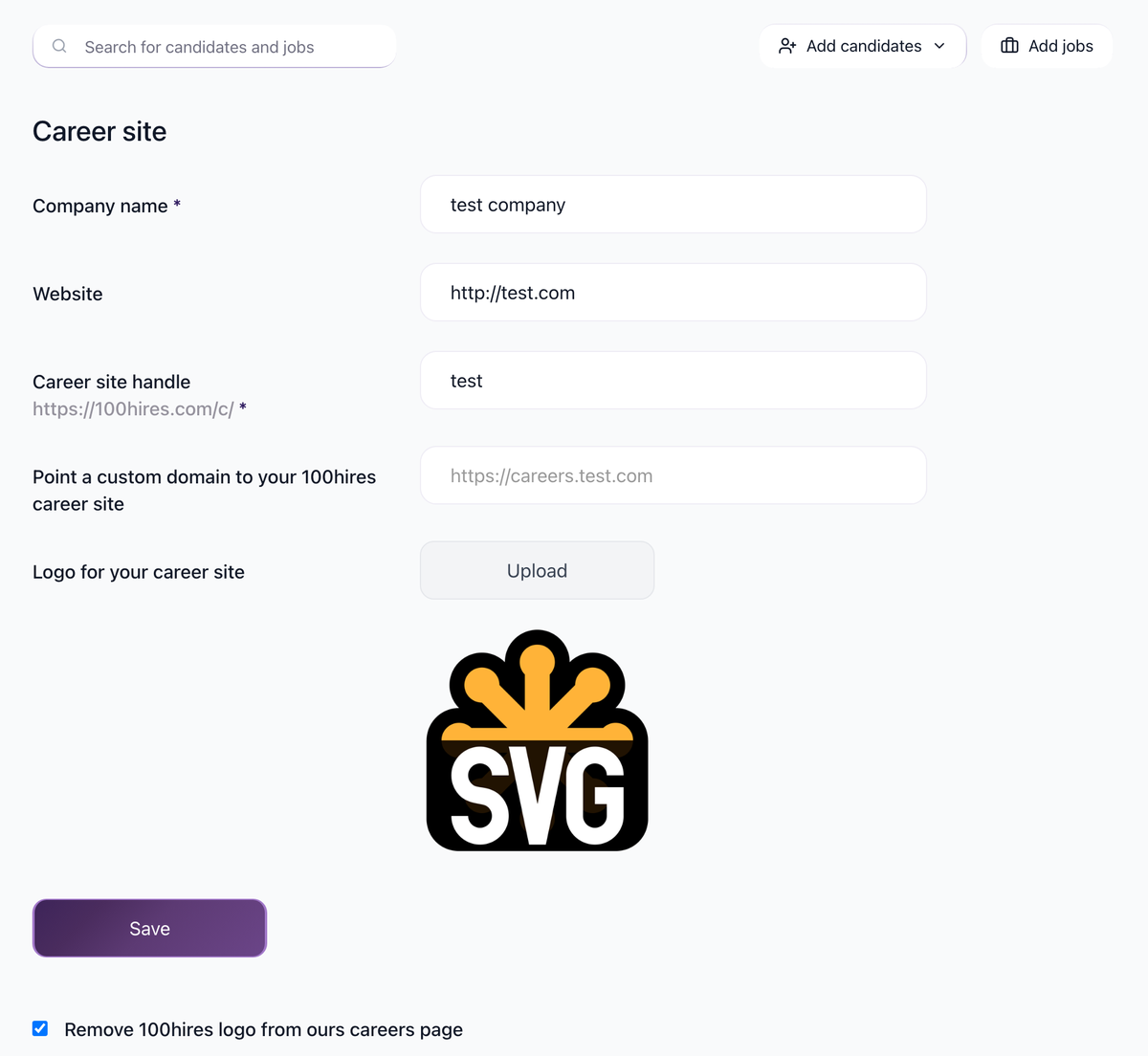
Upload your company logo
- Go to Settings / Career Site
- Find the Logo field
- Click to upload your logo image

- Click Save
Your logo appears on:
- Your career site (job listings page)
- Individual job postings
- Candidate-facing emails
Recommended: Upload a high-quality logo for best appearance on job boards.
Company Settings
Go to Settings / Company to update:
Basic information
- Company phone number: For internal reference (not shown to candidates)
- Physical business address: Your office location
- Company size: Number of employees
- Company type: Direct Employer or Staffing Agency
Currency and regional settings
- Default currency: Used for salary displays and conversions
LinkedIn integration
- LinkedIn company URL: Link to your LinkedIn company page
- LinkedIn company ID: Required for LinkedIn job posting (contact support to change after initial setup)
Career site customization
At Settings / Career Site, customize:
- Career site handle: Your URL at 100hrs.com/c/your-handle
- Background image
- Description text
- Colors: Background, header, content, buttons
- Fonts: Size and style for headers and content
- Favicon: Browser tab icon
- Remove 100Hires logo: Available on Pro plan
Automation settings
At Settings / Company, configure:
- Auto-merge duplicate applicants: Automatically merge candidates with same email or LinkedIn
- Blind evaluations: Team members see others' evaluations only after submitting their own
Related screenshots
These screenshots show the 100Hires areas used in this workflow.
Updated on: 07/08/2026
Thank you!