
How to Merge Duplicate Applications
How to Merge Duplicate Applications
When candidates apply multiple times or appear in your database from different sources, 100Hires can automatically merge their profiles to keep your candidate database clean and organized.
Can I merge duplicate candidate profiles?
Yes. If the same person appears more than once - a duplicate candidate, duplicate profile, or duplicate applicant - you can combine them into a single profile so all their applications, messages, and files live in one place. 100Hires also auto-merges duplicates that share the same email address or LinkedIn URL. The steps below show how to merge duplicate candidate profiles.
Enable Auto-Merge
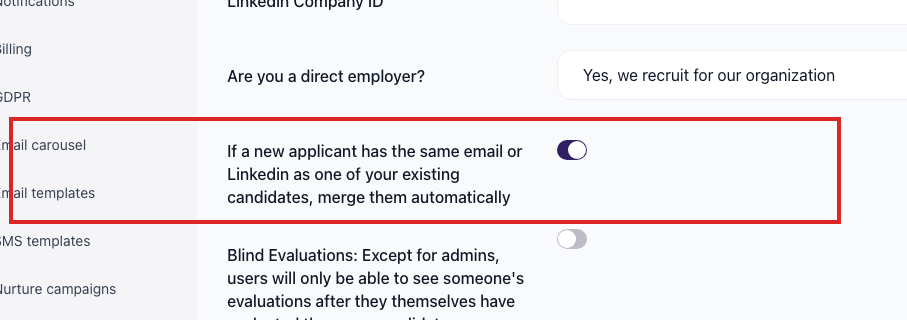
To automatically merge duplicate candidates:
- Go to Settings / Company
- Enable the automatic merge toggle

How Auto-Merge Works
When enabled, the system automatically merges candidate profiles that share:
- Same email address: If two candidates have identical email addresses, they are merged into one profile
- Same LinkedIn URL: If two candidates have the same LinkedIn profile link, they are merged
All application history, notes, files, and job assignments from both profiles are combined into a single candidate record.
Related screenshots
These screenshots show the 100Hires areas used in this workflow.

Updated on: 23/06/2026
Thank you!