
How to Use the Chrome Extension to Source Candidates
How to Use the Chrome Extension to Source Candidates
The 100Hires Chrome extension helps you capture candidate information from supported websites and save it to your 100Hires account.
Supported websites
The extension works on Gmail, LinkedIn, AngelList, Dribbble, GitHub, StackOverflow, Behance, Medium, Facebook, Twitter, Meetup, Upwork, Xing, and Indeed employer dashboard.
Pin and open the extension
Install the extension, then pin it in Chrome so it is easy to open while sourcing.

If the extension is hidden, open Chrome's extensions menu and pin it from there.
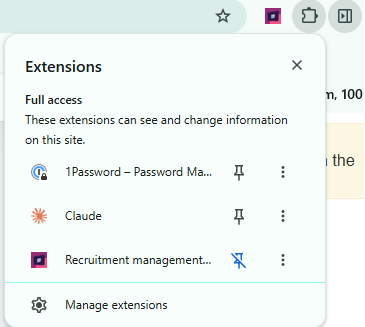
Capture a candidate
- Open a supported profile or email.
- Click the 100Hires Chrome extension.
- Review the captured candidate information.
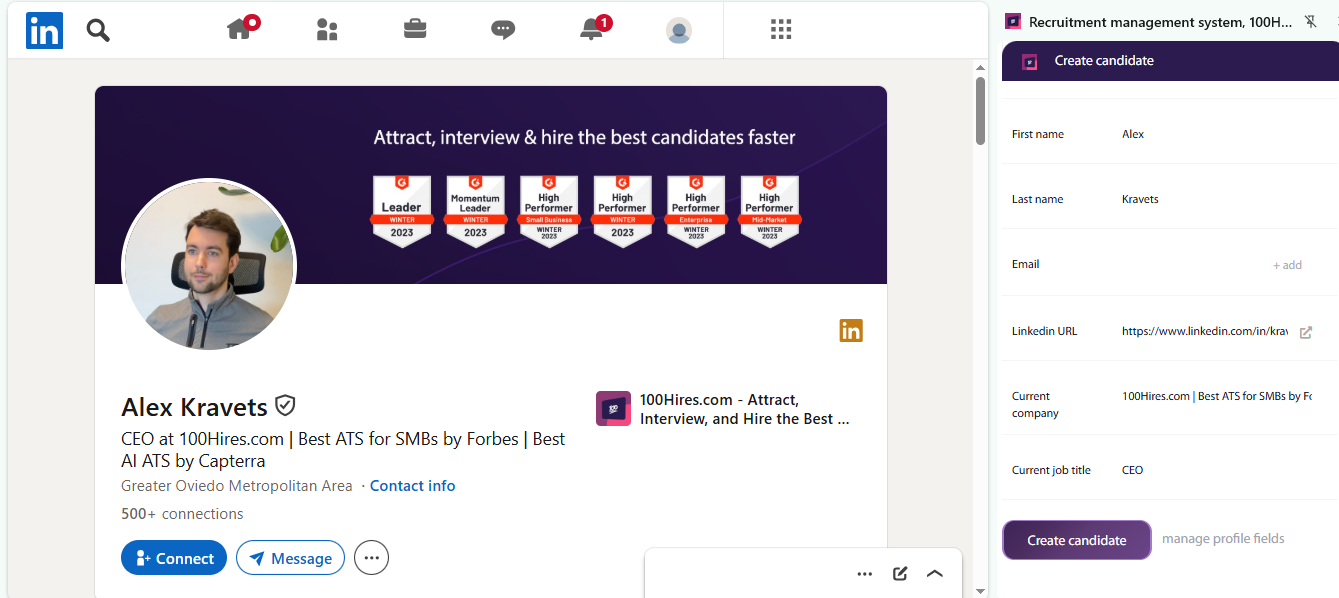
- Select the job where the candidate should be assigned.
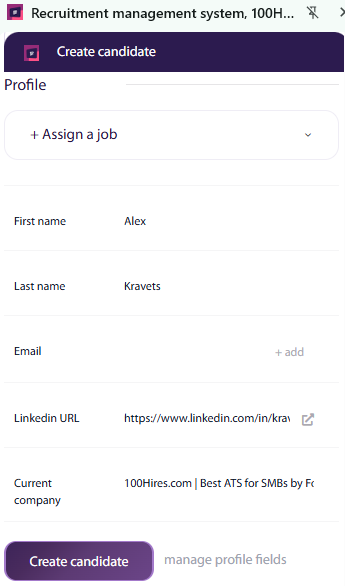
- Save the candidate.
What the extension helps with
- Capture available profile data from supported pages.
- Store candidate information in 100Hires.
- Assign sourced candidates to a job.
- Update an existing candidate when the person is already in your database.

Best practices
- Check the captured fields before saving.
- Use a clear source such as LinkedIn, GitHub, or referral.
- Add tags for sourcing campaign, market, or seniority.
- Avoid saving people to unrelated jobs just to keep them visible; use a talent pool or tag when appropriate.
Updated on: 14/07/2026
Thank you!