
Question Types and Application Form Questions
Question Types and Application Form Questions
Application forms and questionnaires in 100Hires are built from questions. The question type matters because it controls what candidates can submit, how cleanly your team can review the answer, and whether the answer can be used later in screening or AI Scoring.
Where questions live
Questions live in two connected places:
- Forms in Settings > Forms. A form can be used as an Application Form on a job, or as a Questionnaire sent later by email template link.
- Profile Fields in Settings > Profile Fields. These are the fields that live on candidate records and can be populated by resume parsing or CSV import.
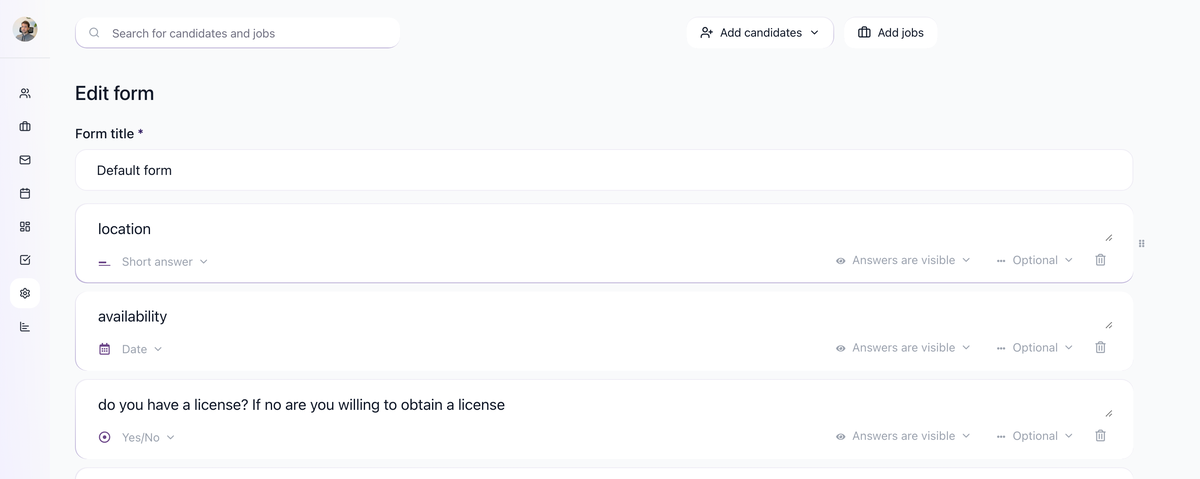
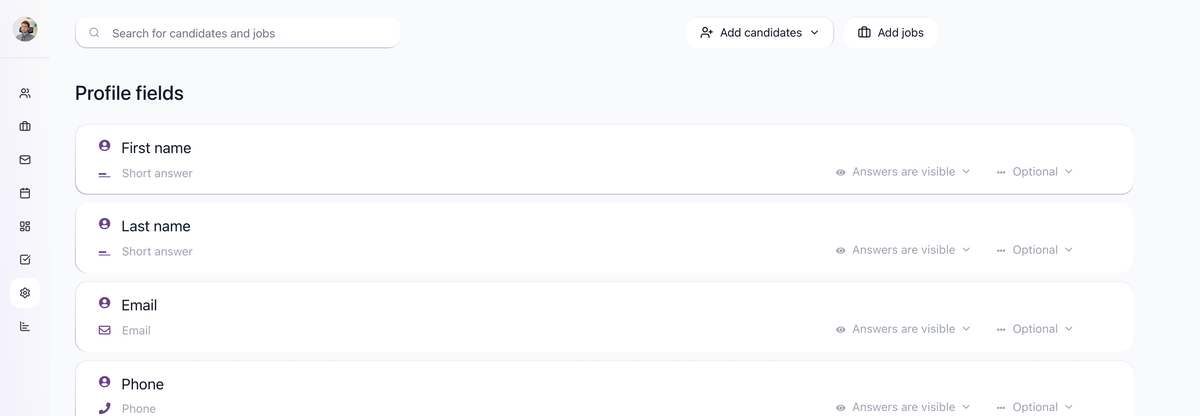
Create or reuse a question
To add a question to a form, open the form, use the question search field, and choose an existing question or create a new one. Reusing the same question across forms helps avoid five slightly different versions of the same screening answer.

Choose the right type
Use the most structured type that fits the answer:
- Use Email and Phone fields for contact data so the format is easier to validate.
- Use Yes/No questions for knockout-style requirements, such as work authorization or required licenses.
- Use short text for concise answers such as current title, company, or LinkedIn URL.
- Use longer text only when you genuinely need a paragraph answer.
- Use choice-style questions when candidates should select from a defined list.
The current type dropdown in the product is the source of truth for the exact list of available field types.
Required vs optional
Every required question adds friction to the application form. Keep required questions to essentials:
- Candidate identifiers such as email and name
- Legal or compliance questions you must ask
- A small number of true knockout questions
Move deeper screening questions into a questionnaire sent after application when possible. The transcript recommends short initial application forms because long forms reduce conversion.
Use answers in AI screening
Yes/No, choice, and short-answer fields are useful inputs for AI Scoring. A common pattern is:
- Add a screening question to the application form.
- Open the job's AI Scoring tab.
- Write a scoring criterion that references that answer.
- Use an AI Score automation to move strong candidates forward or disqualify candidates below a threshold.
This gives you more nuance than stacking many hard knockout rules.
Best practices
- Keep initial application forms short.
- Make email required; make most other fields optional.
- Prefer Yes/No or choice questions when you want to filter, automate, or score later.
- Use questionnaires for detailed screening after the candidate has already applied.
- Review the form as a candidate before publishing the job.
Updated on: 07/08/2026
Thank you!